

Microsoft warns Authenticator now blocks rooted Android and jailbroken iOS, verify if you're affected
Microsoft warns Authenticator will block rooted Android and jailbroken iOS, verify if your phone is affected.
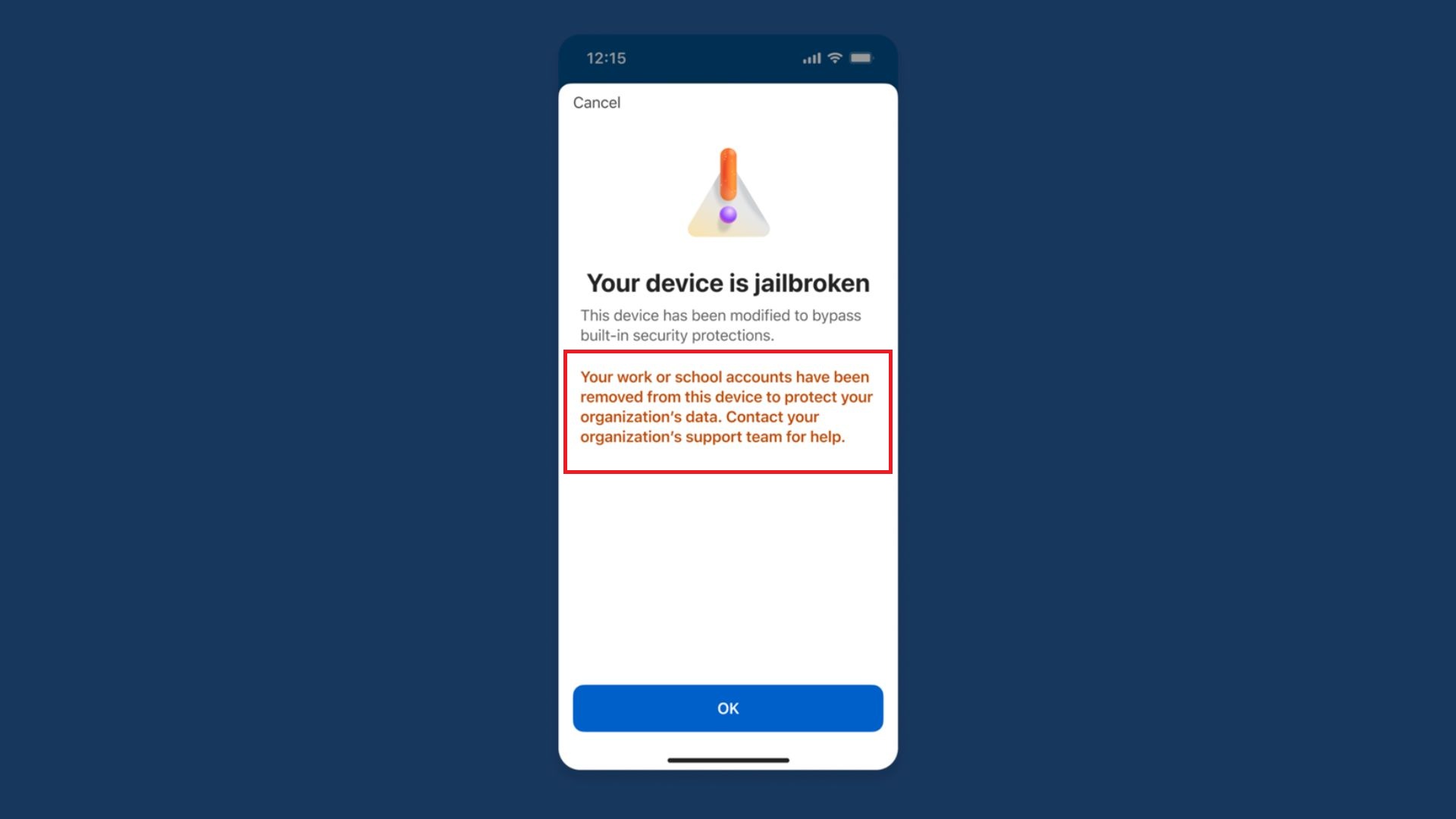 https://www.windowslatest.com/2026/06/30/microsoft-warns-authenticator-now-blocks-rooted-android-and-jailbroken-ios-verify-if-youre-affected/Open linkView original on lemmy.zip
89 replies
Why would you use microsoft Authenticator anyway? There are other options
Work
I don't really mind using shit software on work devices. Yes it's slow and inefficient, I spent half an hour today on Windows doing what would be a very short command on Linux. Fuck it, get paid the same. I just use Linux at home in my own time.
I'll point out better software exists. If I don't get support in changing it or allowed to change it, fuck it. It's on them at that point.
You can use other authenticators. I use ente auth for my microsoft account
I can't. The authenticator for my job was set up on my work device by my IT department.
If your work requires you to have a Microsoft Authenticator-compatible device, they should provide you with one.
Which would never be rooted or jailbroken in the first place so why even bring it up in this this context?
Sucks to have that. Have you tried asking IT if you could use a different one?
The main problem as I see it is if I have to download authenticator onto my personal device because something has happened to my work device. That's the only way I could see this being a problem since I use Graphene OS on my personal phone. Even then I would probably just use the authenticator on my work computer rather than going to that trouble.
That sucks. I refused so they gave me a Yubikey instead.
I have a yubikey (two actually, one from a previous employer). New company won't actually let me use it.
Depends on how your M365 tenant is configured. Both conditional access policies and authentication strengths can enforce the requirement
My work MS account requires MS authenticator specifically, can't use another 2fa app
Only if the company supports OTP methods for Entra login (logging in to M365 account).
But I'd say most don't anymore, as there has been a push towards Microsoft Authenticators push-method for a while (where the website/app shows a number and you have to type it in to the authenticator), as it is a slightly safer method than OTP, and can be used passwordless.
It also made people ready for passkeys, as the authenticator supports easy activation off passkey on accounts that are saved with push-method (you pretty much just click a button in the app), and authenticator is easy to set up on the admin side if you require device bound and attestation for passkey.
You don't need it for work. You can use any authenticator.
It depends…. Your company IT department can choose what types of 2FA are available to use and Microsoft Authenticator is separate from OTP and other methods, and it is possible to restrict them.
That’s also yet another reason why I force the issue of a company phone as part of my equipment to do my job.
my company IT can provide a phone
no work software is ever touching a personal phone
and work phones get shut off at closing
Work isn't an excuse unless your work is trying to cut corners by having you use your personal phone instead of providing a work one. In which case they deserve to be taught this lesson for being cheap as fuck.
Your IT should be issuing you a phone handled by MDM, which should be locked down and not allow you to use a rooted or jailbroken device anyway.
Nope, the Microsoft authenticator is slightly different, and other authenticators won't work. I just went through this with my IT dep. Microsoft authenticator will sometimes pop the numbers up on the computer and make you enter it in the app, not the other way around.
IIRC if you use M365 (i.e. Outlook), you can only use their authenticator app for MFA. Happy to be corrected though.
M365 can be used with other 2fa apps. But organisations can force the use of Microsoft Authenticator
Aegis works fine, as long as your organization allows standards compliant authenticators.
Then stop working for retards who support Nazis
I like the energy. But you took that from a 4 to a 10 fast.
Some organizations require authenticator; they don't just use it for MFA codes, it's goes deeper than that.
Also, most large enterprise fall for the stupid Microsoft trap. They buy enterpise licensing in bulk (E3, E5, whatever) and bosses who have no brains will say "well, let's use more microsoft products since they're 'free'". The trap is that, yes, your enterprise license agreement includes entitlements to a lot of their stuff, but they nickle and dime you on stupid shit like the storage so you can keep the logging and telemetry data you typically need for security, troubleshooting and some audit requirements.
I can't imagine ever using any of their shit beyond Office products. Their security software is crap compared to most offerings, they still seem to think that networks are bad so we should do as little as possible about them. Azure is just a completely uncontrollable money drain (by design) that is damn near impossible to secure properly once you give developers enough access to actually do their jobs.
I've been working in security for a long time now and they continue to be such a fucking liability and drain on money at every turn. If I ran the zoo, I would switch the entire enteprise to Linux and find just about any other collaboration suite to use.
Fuck Excel and fuck you if all you do with it is make lists. Fuck powerpoint and fuck every boss who is too dumb to read and only can accept information when it is spoon fed to them in a deck. Word is OK, but nobody reads anymore so what's the point?
I had to use it for my work. They required MS authenticator. I think it's bullshit and tried to export my 2fa to bitwarden. I couldn't. And to add another 2fa .method I need to call support so I gave it up
They don't let you use https://mysignins.microsoft.com/ to replace/add MFA methods? That site was very useful at my last employer, as I was switching phones often.
Guessing IT can mandate which MFA options are available for users to choose
Probably. I suppose that I was lucky that I could manage these things myself. As we had only one local IT FTE, and I wouldn't have known who to contact beyond that single resource. And might have hated life if I had needed someone else to manage this for me.
I had a yubikey as my hardware authentication, then a coworkers email got hacked so IT moved us all to Microsoft authenticator, so now I have a less secure login method LOL
When you are using your phone for your work you don't really have the choice.
If it's work provided sure. But if its your own device then fuck them, not installing that shit on my own device. Provide one for me
It's not my phone, then. I don't use my private devices for work.
BYOD they said
It never pays working for people who are cheap.
Yup, I use Aegis, and found a strange little trick with Bitwarden Authenticator where I can import them into the main app (the Vaultwarden server). I know keeping all my power in one place defeats the purpose of 2FA but you know, I trust Vaultwarden, and myself to keep it secure, implicitly.
This change is really more about enterprise use cases. If you take DLP seriously you need to make sure the integrity of the controls on work provided devices are intact. Authenticator isn't managed by intune since users could use it for many things.
Nothing stops someone taking a photo of another screen. It's not a panacea. It's just one more hurdle.
people likely using workday as for a job probably, or any app that uses MS.
Ugh, fuck workday
I can guarantee this will be a hilarious shitstorm of false positives wasting IT departments' time, because their detection of it is massively flawed.
At least once a month my - completely stock, and un-rooted - phone tells me I can't use Outlook/Teams because of root. Every time, a reboot is required to resolve this. One one occasion, TWO reboots.
Ignoring whatever reason Microsoft think they're blocking this for, it's going to regularly block regular users, who are not going to stand for it.
microsoft truly hates productivity in the workplace
They somehow trying to eliminate everything they cannot control, funny
Fuck all these totalitarian corpos.
Ths is gonna cause some fun at work. I know our IT team would not be on top of this until one day a portion of employees can't SSO in. Then mayhem will ensue by heels being dug on both sides.
Your company should be issuing devices if employees need to use apps like that. IT issued equipment shouldn't be jailbroken or rooted, it should be managed via MDM.
Otherwise they deserve it for trying to cut corners by having employees use personal devices. If they're doing that, they're almost certainly not paying for the work use of those devices either.
It may be painful but a switch to Ente Auth or similar is a must
Yubikey.
I do keep looking at this, but then stick with Ente Auth for no better reason than no issues so far. Will look again
They're not mutually exclusive. Yubikey is great for passkeys and Ente Auth is great for 2FA.
FIDO U2F, WebAuthn and OTP are supported by Yubikey’s. That’s what makes them inherently more secure than the digital-only solutions available, you need the physical key to authenticate accounts.
Yubikey also has a 2FA app that is unlocked by your actual yubikey
Yes, I'm aware, but if both your passkey and your OTA codes are on the same device, it's not really two-factor authentication anymore, is it?
Your passwords sit in your password manager, the Yubikey is your 2FA.
Depending on the service you’re using they may allow you to use WebAuthn to authenticate your account passwordless so all you would need is your Email/Username + Authentication device, however not all services support this.
Yeah that's my choice too bc it offers access from my desktop browser too, not just the mobile app. Tying accounts to a single device makes me uncomfortable.
I don't use my account for email anymore or use Windows very often but I just changed the two factor authenticator to Aegis. They make the text to use an alternative authenticator app tiny blue hyperlink text but you can do it confirmed.
Yes. I also switched to Aegis.
No, i don't use spyware.
Its why they had to announce this, the venn diagram of microsoft authenticator users and degoogled android is likely two circles
Why the fuck would you use a personal phone for work?
Get some cheap alternative and put the authenticator on that phone and say that is your main phone.
2FA is not just for work.
Sure but you can use your own choice of 2FA software for your own stuff
Yeah but that's the worst app to use if you have a choice. There are a dozen better options.
Better yet, if your work requires you to have Microsoft Authenticator, tell them that they need to provide you with a device capable of using it.
Instead of spending your own money on a burner phone just for that, make your work pay for it.
I wont use my personal phone for anything work related except authentication. Since it sits in its own little jail, it's fine.
I work all over the world and remote in. I have no other work related devices or equipment.
I look at it as a key card from the old days when I had to go into a building. I think that is a pretty trivial use case and doesn't need them to provide a phone, and in fact I absolutely would not want a device owned by anyone else that I carried around. That is FAR worse.
That said, this change sucks as I will now need to get around this bullshit.
How does the tool actually check for this?
Does it just use the Play Integrety API, or does it use some kind of other attestation check?
The need for full root privilege has fallen by the wayside assuming you can trust the OS running on the device. I dont hate this change if I can run a custom ROM that will report that the user does not have root privilege and that the OS has not been modified since boot.
Probably Play Integrity, since it's still working on my phone with the Play Integrity Fix Magisk module installed.
There are a couple Android ports of KeePass. They are open source and won't care if your phone is rooted.
Does it even support OTP?
Just use https://github.com/beemdevelopment/Aegis on Android.
Yes, both KeePassDX and KeePass2Android support TOTP.
Any password manager that does not support OTP is worthless.
I disagree.
In fact, there is a strong argument to be made that storing your TOTP secrets in the same place as your passwords is bad practice.
You now have a single point of failure that if exploited, could grant an attacker total access to all your accounts.
KeePassDX Android does. Been using it for a while now.
Because, obviously, you can't be a real person if you don't let the corpos control your device.
"Users of safe and private android versions have laughed at Microslop and their silly software"
Guess I need to get off of it faster now.
Glad I don't use their app then.
I use aegis. Totp works fine. I don't need push.
You can jailbreak IOS?
https://en.wikipedia.org/wiki/IOS_jailbreaking
Damn..
So the dream is dead?
Everyone that cares about security or privacy is working on custom android ROMs since there is no actual benefit to Apple hardware or software at this point in history. Plus you save money buying a Pixel device.
Google is doing their best to strangle those too, by only releasing their source code when a new major Android release comes out. Custom ROM developers then have to rebase and integrate several months of commits all at once, with nowhere near enough time or resources to actually vet more than a tiny fraction of the changes.
Not everyone. Depending where you live there's no devices available that are compatible with secure custom ROMs (you might be able to deGoogle, but that's different from being secure).
Your security doesn't just depend on what flavour of AOSP you decide to use. I'm assuming you're referring to GrapheneOS, which is only compatible with Pixel devices. Your threat model is also highly relevant. Depending on who you are and what you do, you can be secure on say LineageOS, which will run on a large variety of devices.
yep. it's sort of dead right now but not completely. in fact, a new bootrom exploit for Xs/11 era devices got released recently, and 11 is still getting supported on latest iOS 27.