

Posts
[Request] Full guides to install GOG and Steam versions Fallout: London for Steam Deck
"Mind the gap."
Thanks in advance!
UPDATE:
Santiago Santiago has updated a video on how to install Fallout: London on Steam Deck.
[Resolved] Has F-Droid been abandoned?
I noticed that my web is 1.37.5, Google Play store has 1.37.4 and F-droid has 1.35.0.
Has F-droid been abandoned?
Edit: Resolved. It seems an update has been pushed yesterday but did not show (at least for me) until after posting.
(Android Authority) Don’t expect Firefox for Android to get tablet UI anytime soon
TL;DR (From Android Authority)
• Mozilla responded to a review mentioning the lack of tablet UI optimization for Firefox on Android.
• Mozilla confirmed that its team is not working on optimizing the tablet experience at the moment.
• Mozilla did, however, say that it hopes to revisit tablet optimization when time and resources permit.
 https://www.androidauthority.com/firefox-for-android-ui-3403762/Open linkView original on sh.itjust.works
Modding games on Steam Deck
Hey all,
Does anyone have a guide on how to manually add mods to games on the Steam Deck?
I was hoping to mod Fallout 76 for some QoL mods from Nexus but I can't seem to get them to work.
Gnome custom cursor not working in all applications.
Hey all. Basic information I am running Pop_os! I have have downloaded and placed a cursor in ~/.icons folder and selected it with gnome tweaks. It seems to work on some but not all applications. It works on Steam, gedit, nautilus but not on any browser, Telegram, or Thunderbird.
I have tried modifying the /usr/share/icons/default/index.theme file to my selected cursor. I have restarted and no changes.
To note: Gnome Tweaks still lists Adwaita (default) no mater what I do.
Is there a way for me to get my chosen cursor to work with all applications?
[Resolved] Pop!_Shop installed applications immovable and without window control bar
Original Post
Hey all! I'm a bit new to the community and I could use some help. A few of the applications I have installed through the Pop!_Shop or through terminal have installed that are pinned to the top left of my screen and can't be moved and do not have the window control bar at the top. I do have gnome-shell-extensions installed as suggested by an older guide.
Examples:
Notepadqq (both entries in Pop!_Shop)
Heroic Launcher (Pop!_Shop)
Please let me know what I'm doing wrong. Thanks!
Resolution
With the help of @[email protected] I was able to determine the issue.
The Barney style answer is:
- Open Extensions or Extension Manager scroll down under System Extensions click the gear next to Pop Shell.
- In the new window enable the first listed item is Show Window Tiles.
Thank you @[email protected]
Edit 1: Fixed broken image links.
Edit 2: Resolution.
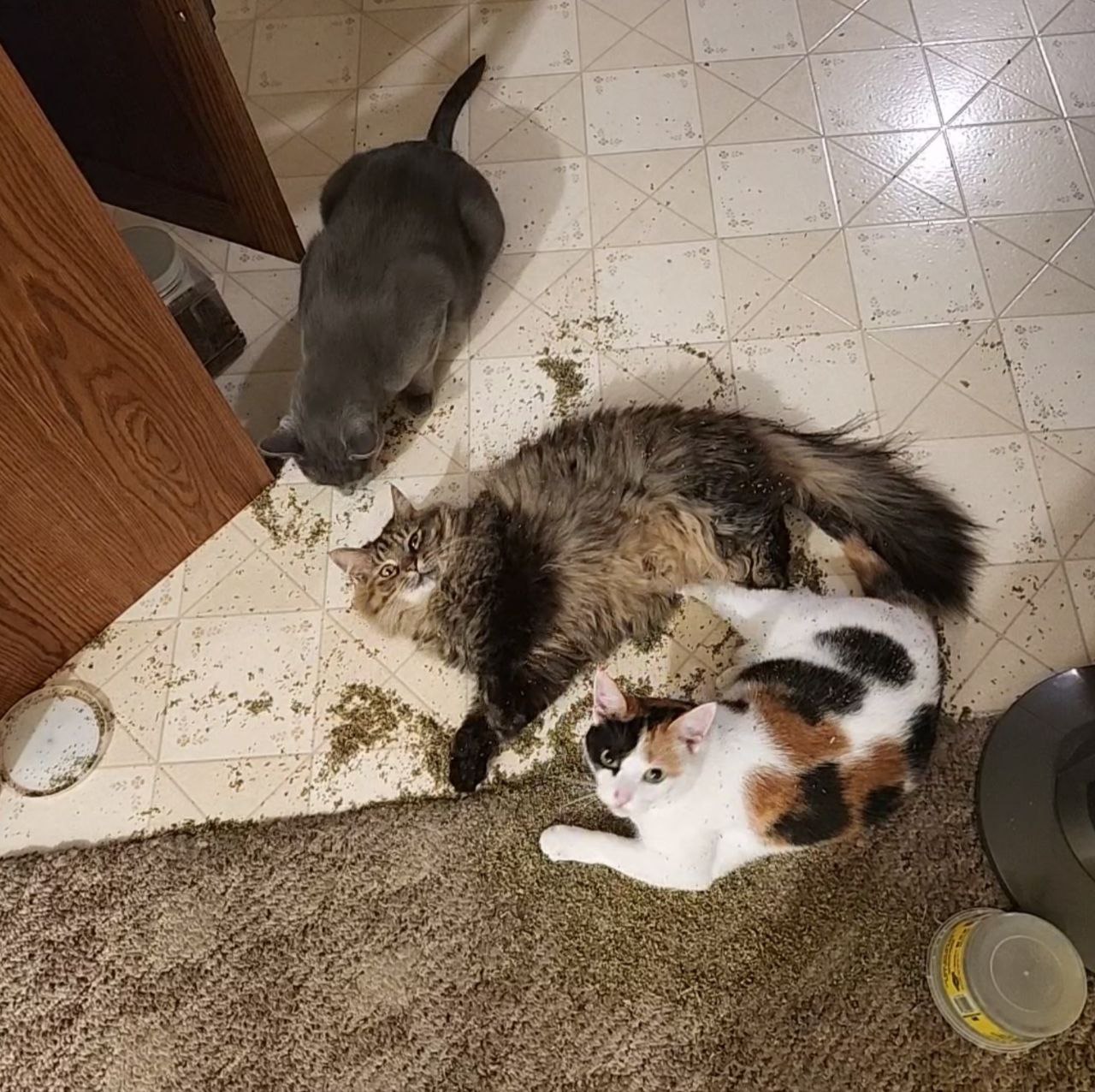
My cats found the catnip...
From top to bottom:
Tiger, Ms. Mittens, Kali.
 https://imgbox.com/BCIg15ZwOpen linkView original on sh.itjust.works
My cats found the catnip...
From top to bottom:
Tiger, Ms. Mittens, Kali.
 https://imgbox.com/BCIg15ZwOpen linkView original on sh.itjust.works
My cats found the catnip...
From top to bottom:
Tiger, Ms. Mittens, Kali.
 https://imgbox.com/BCIg15ZwOpen linkView original on sh.itjust.works
Steam Deck - Resources and Add-ons
A list of different resources that should be useful for Steam Deck users.
Add-Ons
- Decky Loader Swiss Army knife group add-ons in your left bar in game mode with customizable applications for easy access, system changes, and game tweaks.
- Site: https://github.com/SteamDeckHomebrew/decky-loader
- Install Guide Video: https://youtu.be/eiINSEvGs_8
- Heroic Launcher Add your games from other market places.
- Site: https://heroicgameslauncher.com/
- Install Guide Video: https://youtu.be/j8YdKoC6-nE
- CryoUtilities 2.0 performance boost for gaming and memory on Steam Deck.
- Site: https://github.com/CryoByte33/steam-deck-utilities
- Install Guide Video: https://youtu.be/C9EjXYZUqUs
- EmuDeck one-stop shop for installing emulators on Steam Deck.
- Site: https://www.emudeck.com/
- Install Guide Video: https://youtu.be/Y5r2WZAImuY
- Proton GE change proton versions for specific games for compatibility issues.
- Site / Guide: https://www.rockpapershotgun.com/how-to-install-proton-ge-on-the-steam-deck (NOTE: Link is a little old but as it is installed through the application store should work all the same.)
Sites
- https://steamdb.info/ Check Steam game prices, see trends, get notifications of when games are at the lowest price.
- https://www.protondb.com/ check configurations and Proton GE versions to get your games to work.
Community suggestions
- (Alpha testing only) OpenGamepadUI An open source replacement for Steam’s gamepad UI.
- Comment below: https://sh.itjust.works/comment/89865
- Commenter / Developer: @[email protected]
- Site: https://github.com/ShadowBlip/OpenGamepadUI
- chiaki4deck PlayStation Remote Play on the Steam Deck.
- Comment below: https://sh.itjust.works/comment/102668
- Commenter: @[email protected]
- Site: https://streetpea.github.io/chiaki4deck/
I hope this has helped someone in the community. If anyone has any more suggestions of tools or useful sites to add please add them below.
Hopefully we can get this community going!
EDIT: This is intended to be a living post. I will try to update when I can.