Spyke

Posts

selfhosted·SelfhostedbySonyJunkie

[SOLVED] Help With NFS Share To Proxmox Container

EDIT

I found the issue, it was me!! LOL I thought it had to be a setting I had forgotten and it was, I forgot to enable NFS & Nesting under Features in the Otions of the cotainer, see this image - https://imgur.com/bSiozKS

Thank you to everyone that took the time to reply and offer their suggestions.

Hi All,

Let me start with some basic basic background on my set up, I have a server running Proxmox with some Ubuntu containers. I have a separate server running TrueNas with a share that has both NFS & SMB set up. I can see this share in Windows 11 and read and write to it.

One of the Ubuntu containers is able to see this share via NFS and read and write to it too. I am testing Sonarr, Prowlarr & Qbittorrent Docker containers and got the basics set up, Sonarr can find episodes via Prowlarr of a TV show, hand it off to Qbittorrent to download and then move it from the download folder to the TV folder. Both the download folder and the TV folder are on the TrueNas server.

I then set up a Docker container for AudioBookShelf in the same Ubuntu CT and that can also read and write to the NFS share.

My issue is that I tried to set up another Ubuntu CT on the Proxmox server but cannot seem to access the NFS share on the TrueNas server.

This is what I did (which I think was the same process as the working CT)

  • 1/Create a privileged conatiner
  • 2/ Update and upgrade the CT
  • 3/ Install nfs-common
  • 4/ Create a directory in the CT in the /mnt directory for the NFS share
  • 5/ added this line to the fstab file in /etc 192.168.0.188:/mnt/store/test-share /mnt/test-share nfs defaults 0 0

However, when I run mount -a I get this error message mount.nfs: access denied by server while mounting 192.168.0.188:/mnt/store/test-share

Running df -h does not show the mount obviously but it does in the working CT

As a further test, I cloned the working CT, deleted all the Docker containers and I can still see the NFS just fine.

I have probably missed a step while setting up the new CT but I'm not sure what.

Can anyone offer some help?

View original on lemmy.world
6
sciencefiction·Science FictionbySonyJunkie

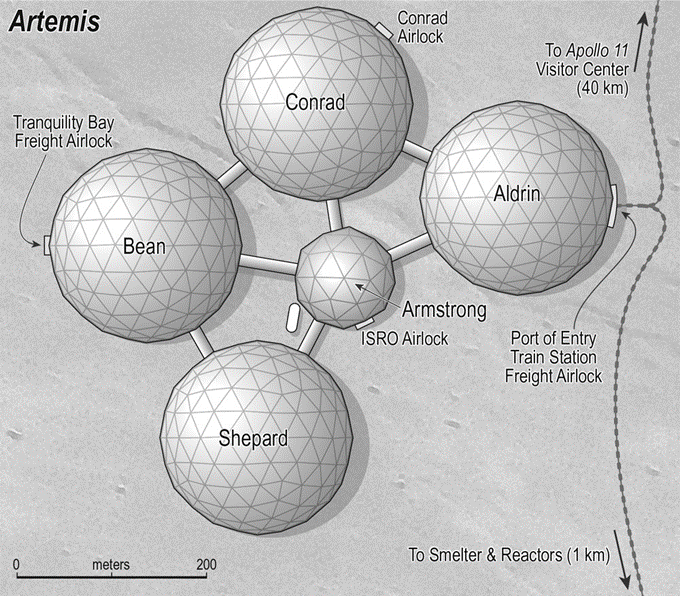
Fan-fic based on Artemis by Andy Weir

Andy Weir tweeted this fan-fic based on his book Artemis.

https://twitter.com/andyweirauthor/status/1680415110534434817?t=QNax0QoxeQUm9jDbBa8L1w&s=19

I found it an enjoyable read and it was good to revisit this setting. I know the book had mixed reception and is nowhere near as good as The Martian of PHM but I enjoyed the book.

Fan-fic based on Artemis by Andy Weirhttps://unrealizedreality.wordpress.com/2022/04/25/artemis-the-fra-mauro-job/Open linkView original on lemmy.world
29
formula1·Formula 1bySonyJunkie

Was Perez Just Unlucky Or Out Of Form?

Perez crossed the line with just enough time for another lap and the only driver to do so but failed to make it of Q1.

Was it due to the tyres being too cold from waiting for ages at the end of the pitlane or because he's not on form lately?

It seems that all the drivers that went out first all had slower times.

Do you think he would have done a better lap had he been able to complete it?

View original on lemmy.world
60
selfhosted·SelfhostedbySonyJunkie

Dell Optiplex 7060 MFF Faulty Motherboard

cross-posted from: https://lemmy.world/post/953492

I have a Dell Optiplex 7060 MFF that wont boot, according to the power LED flash sequence it has a faulty motherboard.

The motherboard has a model number of IPCFL-BS 65W.

It had a decent i7 processor so I removed it and put it in a lower spec 7060 that I bought, I then installed the i5 from the other 7060 but it still wouldn't boot, no surprise there!!

I suppose I can do one of the following:

  • sell it as is for spares or repairs on eBay (the CPU (i5-8500T) has got to be worth at least £30 on it's own)
  • get a replacement MB from eBay or an AliExpress clone
  • try and work out what has failed on this MB and fix it (this is way above my skill level)

Anyone have any other ideas or suggestions?

View original on lemmy.world
4

Dell Optiplex 7060 MFF Faulty Motherboard

I have a Dell Optiplex 7060 MFF that wont boot, according to the power LED flash sequence it has a faulty motherboard.

The motherboard has a model number of IPCFL-BS 65W.

It had a decent i7 processor so I removed it and put it in a lower spec 7060 that I bought, I then installed the i5 from the other 7060 but it still wouldn't boot, no surprise there!!

I suppose I can do one of the following:

  • sell it as is for spares or repairs on eBay (the CPU (i5-8500T) has got to be worth at least £30 on it's own)
  • get a replacement MB from eBay or an AliExpress clone
  • try and work out what has failed on this MB and fix it (this is way above my skill level)

Anyone have any other ideas or suggestions?

View original on lemmy.world
4
fediverse·FediversebySonyJunkie

Following Lemmy Users on Mastodon

Hi All, I'm new to the Fediverse but I'm slowly learning about it and it excites me. It has shown me that there is more than the big services to be enjoyed.

However, one thing I'm not sure on is how to following users across the Fediverse works. I have an Lemmy account on lemmy.world instance and I have a Mastodon account on mastodonapp.uk instance.

I have installed the official Mastodon app, I searched and found my Lemmy user account (@[email protected]) in the app and followed it but when I post on Lemmy these do not show up in the Mastodon app or timeline. I tried @ing my Lemmy account from my Mastodon account and it obviously showed showed up in my timeline but I didn't get any notification on my Lemmy account.

Am I misunderstanding how this works? If so, please can someone explain it to me using words of one syllable or less!!

View original on lemmy.world
38

Adding a 2nd NIC to one of my Dell Optiplex MFF PC's

Hi All,

Thought I'd add a quick post on how simple it is to add a 2nd NIC to the Dell Optiplex MFF PC's.

The unit I bought came with a wireless M.2 card and antenna and also an extra Display Port in the accessory port. I didn't need either of these so I removed both.

I then purchased this M.2 wired NIC from Amazon, I was too impatient to wait to get a slightly cheaper one from Aliexpress!! LOL https://www.amazon.co.uk/dp/B0B6ZVRNQ1?psc=1&ref=ppx_yo2ov_dt_b_product_details

Installation was really simple, I just had to ensure that the ribbon cable was laid as flat as possible so that it wouldn't interfere with the SSD and caddy. https://i.imgur.com/lt5Zgs5.jpg

I used two plastic bolts and nuts to hold the NIC port in the accessory port hole, it's not a perfect fit but it is secure enough.

I'm going to use this server as a pfSense router running in a Proxmox VM so the 2nd NIC was important.

I had some fun getting Proxmox and pfSense to see the 2nd NIC, but that's for another post!!

View original on lemmy.world
8

My Mini Lab!

Hi all,

Seeing as I created this community it seems only fair that I kick it off with details of my Mini Lab!! LOL

Instead of them just sitting on top of each other I took inspiration from another user and built a custom rack using 2020 aluminium extrusion and 3D printed parts.

These are the specs of the servers

MakeModelCPURAMHDD 1 (OS)HDD 2 (Storage)Installed OS
DellOptiplex 7060Intel i7-8700T24Gb240GB SSD500GB M.2Proxmox (Holden)
DellOptiplex 7050Intel i5-7500T16GB240GB SSD500GB M.2Proxmox (Nagata)
DellOptiplex 7050Intel i5-66008GB240GB SSD500GB M.2Proxmox (Kamal)
DellOptiplex 7050Intel i5-7500T16GB240GB SSD500GB M.2Proxmox (Burton)
DellOpitplex 3050Intel i5-7500T8GB500 HDD500GB M.2Proxmox Backup Server

Pictures - https://imgur.com/a/d950ydM You can see most of the services I'm running in the Proxmox cluster screen shot, but I'm also running these in the CT called "docker-test"

  • Docuwiki
  • Heimdall
  • Homeassistant (test env)
  • Nextcloud (test env)
  • Nginx Proxy Manager
  • Portainer
  • Overseer
  • Pi-Alert
  • Uptime Kuma

My "Holden" node currently has nothing running but I intend to use this node for Plex and the *arr's suite using my TrueNAS as storage for the movies & TV shows instead of the local storage.

I also have a a Dell Wyse 3040 that I've installed Proxmox on and this runs my instance of OpenVPN when I 'm away on holiday so that I can shutdown all the servers but still VPN home.

I've uploaded the print files to Printables - https://www.printables.com/model/499181-mini-lab-rack-for-dell-optiplex-mff-servers in case anyone wants to use them for something similar.

Also, it's quite heavy so I've had to relocate it from on top of a utility room wall cupboard as I wasn't convinced the cupboard brackets would support the cupboard, it's contents and the server rack!! LOL

View original on lemmy.world
26
tesla·[Dormant] moved to [email protected]bySonyJunkie

Sentry Mode & Cabin Overheat Protection

Hi All,

I have a 2022 Model 3 that I absolutely love! but there are a couple of things that I don't fully understand.

1/ Sentry Mode - when I first got the car 15 months ago, I would have a fair few sentry mode notifications/recordings when I returned to the car after it had been parked up away from home, i.e. at work, in a car park, etc. but in the last few months I've had hardly any, maybe 2 in 6 months!!

2/ Cabin Overheat Protection - last week I was away on holiday for a week and left it parked in an open air car park at the airport for the 8 days I was away. When I parked I had 91% battery so I left sentry mode on so that I could see how much was used. I checked the app a few times while I was away and nearly everyday the cabin temperature was 48-53 degrees C, with an external temp of 26-29 degrees C (it has been very warm here in the UK last week). But as far as I can tell the C.O.P. didn't kick in even though it is on and set to 40 degrees C.

I don't subscribe to premium connectivity if that makes any difference.

Does anyone have any ideas?

TIA

View original on lemmy.world
4

You reached the end