600K unsafe shutdowns with zero errors from my old Proxmox drive
Pulled a Samsung NVMe out of an old PVE RAID 1 mirror. 600K+ power cycles and 600K+ unsafe shutdowns across 7K hours, but 7% wear and the mirror never resilvered. Drive worked fine in PVE the whole time, no idea what set it off. Counters froze the when I moved it to my laptop so it must've been something on that host. Maybe a Samsung APST quirk logging power state transitions as full cycles but tbh, no idea.
Hypervisor, VM, LXC and Docker: A Simple Guide
I wrote a short, no-nonsense breakdown of the different virtualisation layers for my blog. I get asked about this a lot by people moving over to Proxmox, so I figured I’d share it here in case it’s useful for anyone else starting out.
https://the.unknown-universe.co.uk/home-lab/hypervisor-vm-lxc-container/Open linkView original on lemmy.mlCloning your hard drive, the easy way (with Clonezilla)
Does anyone read descriptions anymore? If you read the description, comment with "That's a bossy video". Shoot, is that engagement farming? Oh well.
What? Oh, right, I'm supposed to be describing this video.
It's about Clonezilla! I love using Clonezilla for backing up my disk drives to images. It's also helped me out to be able to convert a physical machine to a VM easily. It's such a simple tool and I'm really thankful to the folks who made it.
You can check out the tool at https://clonezilla.org/.
Also, I wrote a companion blog post for this video: https://vkc.sh/clonezilla-101
And if you like the shirt I'm wearing, I sell it over on my merch store: https://vkc.sh/product-tag/test-your-backups/
Lastly, I couldn't do this without the supporters I have on Patreon and Ko-Fi, who foot the bill for all of this nonsense. If you want to join our Discord-slash-Matrix, tiers start at $2/mo USD. Thank you!
https://patreon.com/VeronicaExplains
https://ko-fi.com/VeronicaExplains
Chapters:
0:00 I say "greetings" and tell you about Clonezilla
3:26 What do you need to start using Clonezilla?
4:57 What I'm using to demonstrate Clonezilla
5:45 Getting started and choosing a Clonezilla mode
8:10 Cloning a device to an image with Clonezilla
12:18 Restoring a Clonezilla image to a new device
15:00 It even works with encryption!
https://tinkerbetter.tube/videos/watch/a7198cb5-5146-4652-b7cb-cc79d429a839Open linkView original on piefed.socialold laptop and raspberry pi is my past - what should be the upgrade?
cross-posted from: https://feddit.org/post/23170671
I need to keep power usage in mind and don't want to spend more than 500€ on hardware. Power is roughly 0.35ct/kwh in Germany
I like the small square machines (former NUC). But I don't have any overview which ones are worth the price.
For data storage I am thinking about a NAS, but it would need at least two HDDs for redundancy, otherwise it's not better than an external HDD that I have. Also it does have its own power draw, which isn't insignificant (10w->~300€/10years).
Capabilities of the machine don't matter too much, I will see what I can do with the hardware I get.
Is there a sweet spot, a device that everyone buys or cheapest brand or best package or whatever?
Released: CyberTools Admin 1.5.0 — Backup/Restore Automation for CyberPanel & Linux Servers
Hi everyone,
I built a CLI tool to bring reliable, enterprise-grade backup automation to CyberPanel and Linux servers.
CyberTools Admin 1.5.0 includes:
• Automated project & system backups
• Safe Restore (restores into a test directory first)
• Direct Restore with confirmation
• Auto-Healing Startup (.bashrc fix)
• Unified logging
• Zero telemetry
• Pure Bash
More details + install guide: theusaseo[dot]com/cybertoolsadmin/
Would love feedback from the self-hosting and Linux communities.
https://theusaseo.com/cybertoolsadmin/Open linkView original on lemmy.worldOptions for SMB shares without a single point of failure.
Why I'm dabbling in this is a very long story, but lets assume I only have 2 servers at my disposal and want Windows Server VMs providing SMB shares without a single point of failure. Proxmox and HyperV are my options for hypervisors.
Ceph is out for a few reasons, most notably only having 2 servers, 1Gb networking and the Windows Server VM would still be a single point of failure. I've been reading up on Windows Storage Spaces and if I'm understanding correctly it seems I could cluster 2 physical or virtual servers, replicate the data between the 2 and present the SMB share as the cluster name/IP rather than individual servers.
Before I spend too much time setting up Windows clusters, are there any other options I should be looking into?
Traefik setup routing rules help
Hello friends, I've been pulling my hair out trying to figure out how to get my service to properly play well with traefik.
My service is reachable at /dnd-notes/page, but the service needs to fetch additional resources and fails to do so.
IE: user navigates to /dnd-notes/foobar
foobar loads. foobar fetches /.client/main.css foobar fails to find this resource.
Here is my static configuration:
## traefik-static.yml
providers:
docker:
exposedByDefault: false
api:
insecure: true
dashboard: true
entryPoints:
web:
address: :80
websecure:
address: :443
log:
level: DEBUG
Here is my compose:
services:
traefik:
image: "traefik:latest"
container_name: "traefik"
ports:
- "80:80"
- "8080:8080"
volumes:
- "/var/run/docker.sock:/var/run/docker.sock:ro"
- "./traefik/traefik.yaml:/etc/traefik/traefik.yaml"
silverbullet:
image: zefhemel/silverbullet
container_name: "dnd-notes"
volumes:
- './dnd-notes/space:/space'
labels:
- "traefik.enable=true"
- "traefik.http.routers.dndnotes.rule=PathPrefix(`/dnd-notes/`)"
- "traefik.http.routers.dndnotes.service=dndnotes"
- "traefik.http.routers.dndnotes.entrypoints=web"
- "traefik.http.routers.dndnotes.middlewares=dndnotes_stripprefix"
- "traefik.http.services.dndnotes.loadbalancer.server.port=3000"
- "traefik.http.middlewares.dndnotes_stripprefix.stripprefix.prefixes=/dnd-notes"
SC/APC SFP to bypass provider ONT
My Internet provider just installed me a 2,5Gbps fiber connection. It arrives with a single fiber connected to a GPON ONT (ZTE ZXHN F6005) connected with an RJ45 cable to the 2,5Gbps port of a 5530 Fritz!Box router. I'd like to bypass both the router and the ONT, do you think that it's possible? For the router my provider says that it's possible and it provided me the connection parameters, but for the ONT I've no idea. I would need a singe fiber SC/APC 2,5Gbps SFP+ adapter that I cant seem to find. Can anybody help me? 'm based in Europe.
Have you ever donated your computing power with the OSS BOINC? Take 5 minutes to fill out the 2023 BOINC Census!
cross-posted from: https://lemmy.ml/post/8114657
The BOINC Census is back for another year! 🎉 If you use BOINC, we want to hear your thoughts!
BOINC is an open source tool and protocol for volunteer computing which enables people to volunteer their computational power to scientific research like cancer research and mapping the galaxy. I know a lot of homelab users use it.
Take the survey with the link below 👇
Should only take 5 min and your response could help shape the future of the community 😁
https://forms.fillout.com/t/n33grsgkeRus
The BOINC Census is a project of the Science Commons Initiative, a 501(c)(3) non-profit rebuilding the bridge of trust and participation between the public and science.
Happy crunching! 🚀
Pinepods - Self hosted podcast management system
For the last 6 months or so I've been working on Pinepods. I have never been able to find the perfect self-hosted podcast app that I wanted to use. podgrab's player is rather lackluster and misses a lot of features that I would like.
With Pinepods you can play, download, and keep track of podcasts you enjoy. It allows for searching new podcasts using The Podcast Index or Itunes and provides a modern looking UI to browse through shows and episodes. In addition, Pinepods provides simple user managment and can be used by multiple users at once using a browser or app version. Everything is saved into a Mysql database including user settings, podcasts and episodes. It's fully self-hosted, and I provide an option to use a hosted API or you can also get one from the podcast API and use your own. There's even many different themes to choose from! Everything is fully dockerized and I provide a simple guide found below explaining how to install Pinepods on your own system. It’s also super easy to import podcasts from any app using OPML files.
There's also lots of modern features like MFA, self-service password resets, and some Podcast 2.0 functionality (more to come)
In addition to all that, I've built a client version of the app that can connect via API to your home server over something like a reverse proxy or tailscale.
Pinepods just had is on version 0.3.1 with all the basic functionality implemented. Currently, you're likely to experience issues, but I certainly invite pull requests or opening issues if you have the time. You can also get setup assistance on the discord server. I invite you to try it out!
Check out the official site here:
Github here:
https://github.com/madeofpendletonwool/PinePods
Discord Server:
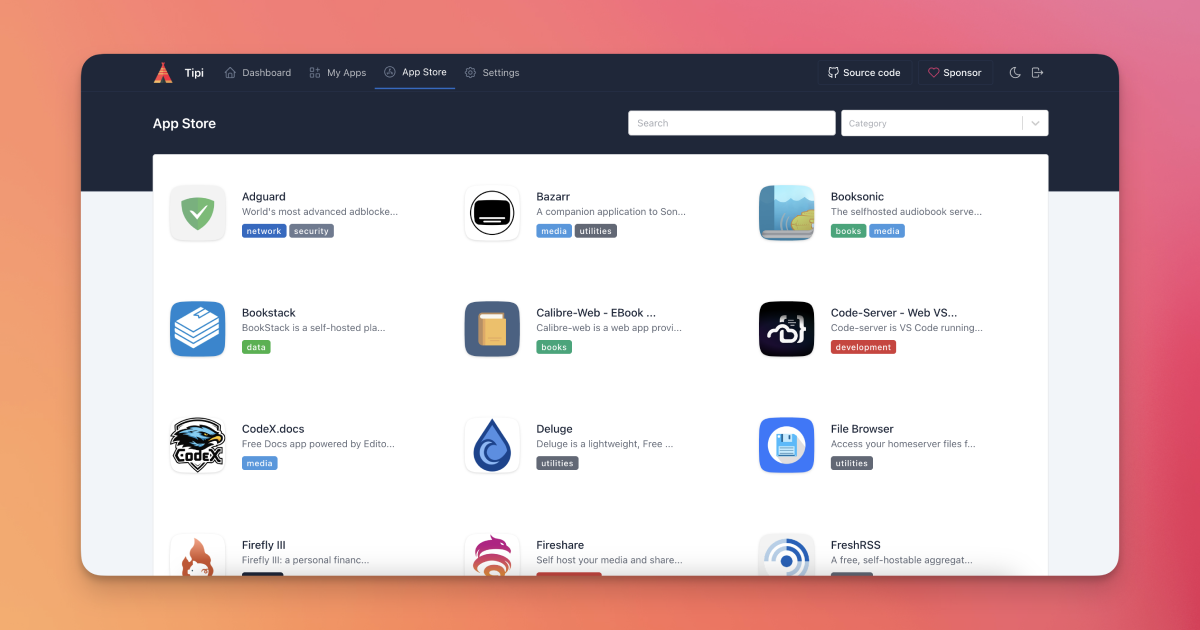
Runtipi: Homeserver management made easy
cross-posted from: https://programming.dev/post/1429257
It has an 'App store' that's been growing a lot lately. Writing new docker-compose.yaml files is easy (see: https://www.runtipi.io/docs/contributing/adding-a-new-app ), and exposing them behind NAT, e.g. from home it's easy too (see: https://www.runtipi.io/docs/guides/expose-apps-with-cloudflare-tunnels )... But my favorite perk is the folder structure (see: https://www.runtipi.io/docs/reference/folder-structure ), and the fact that 'media' is shared between apps.
https://www.runtipi.io/Open linkView original on programming.devWhat do you have cookin?
Surprised to see less activity here. Having assumed everyone using FOSS, was hosting FOSS, I just peeked in here and only saw two posts lifetime. (Maybe that's a visibility issue for me?) Anyhoo:
What are you all working on?
I'll go: I'm a noob trying to figure out why my mf Minecraft vm's network permissions want to destroy me!
Recently updated my Network Diagram, Its still a work in progress
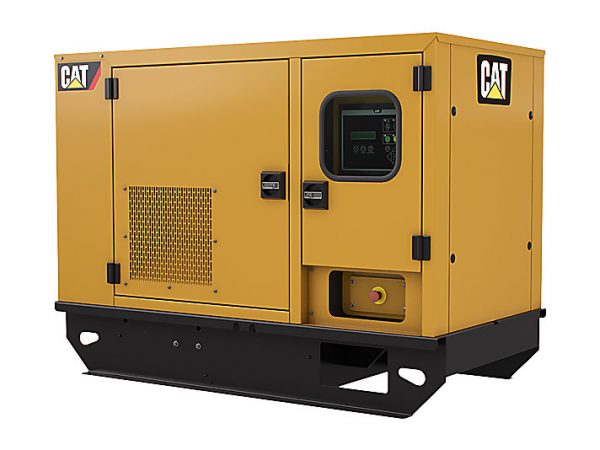
I added some more unifi APs, a Raspberry Pi4 for a low power unifi controller, and I replaced the MOCA bridges with multiple Cat6 runs letting me power most of the wifi from the generator in the basement across the house.
I should probably do a full write up of what it all is and why, and I plan to get optimum and Verizon working together so I can leverage both internet connections in the whole house.
What to do with inherited server?
Hey everyone. So I just inherited a Dell R720 from work. I don’t know the full specs on it yet, but it’s got a 24 core processor and about 380 GB of memory. I need to buy my own drives, though. I honestly have no idea what to do with this. I’ve dreamed of having a home lab, but only ever thought about hosting a Unifi controller and a plex or jellyfin server. I’ll probably put Proxmox on it to manage everything. What recommendations do you all have for making use of this server? I’m honestly open to anything!