Spyke

Posts

localllama·LocalLLaMAbytroed

Inferno - a 16GB 5060Ti focused fork of the Blackwell-inference engine NInfern

The 5090Ti owners are living a life of luxury with an inference engine (NInfern) that maximizes CUDA 120a performance when running Qwen models. Purely for my own curiosity's sake I've worked with an LLM to make a fork of this project but with my 5060Ti (16GB) as target instead. The upstream author is not interested in taking on us VRAM-poor thus the name change.

My main interest lies in trying to get Qwen 3.8 27B even the slightest bit faster than possible with llama.cpp, but I have no idea if I will succeed.

Where I'm currently at is that the ffn layer offloading (the main trick from Stainless-Bacon that makes 27B possible to run at Q4 quant at all) has been implemented, as well as attention rotation for the KV cache quants and FP6 as the first of the new <8 bit KV cache quant implementations to come. Looking at adding KVarN now.

With Qwen 3.8 27B, MTP and 96000 context size at FP6 KV cache I'm currently seeing around 500 tps PP and 8-10 tps TG. This is slightly below the numbers I have in llama.cpp, although there I'm also using ngram-mod and a 5.0/4.1 KV cache quant so it's not apples to apples.

Posting about it here in case anyone else is as curious as I.

Inferno - a 16GB 5060Ti focused fork of the Blackwell-inference engine NInfernhttps://git.sync.wtf/troed/infernoOpen linkView original on fedia.io
25
startrek·Star Trek Social Clubbytroed

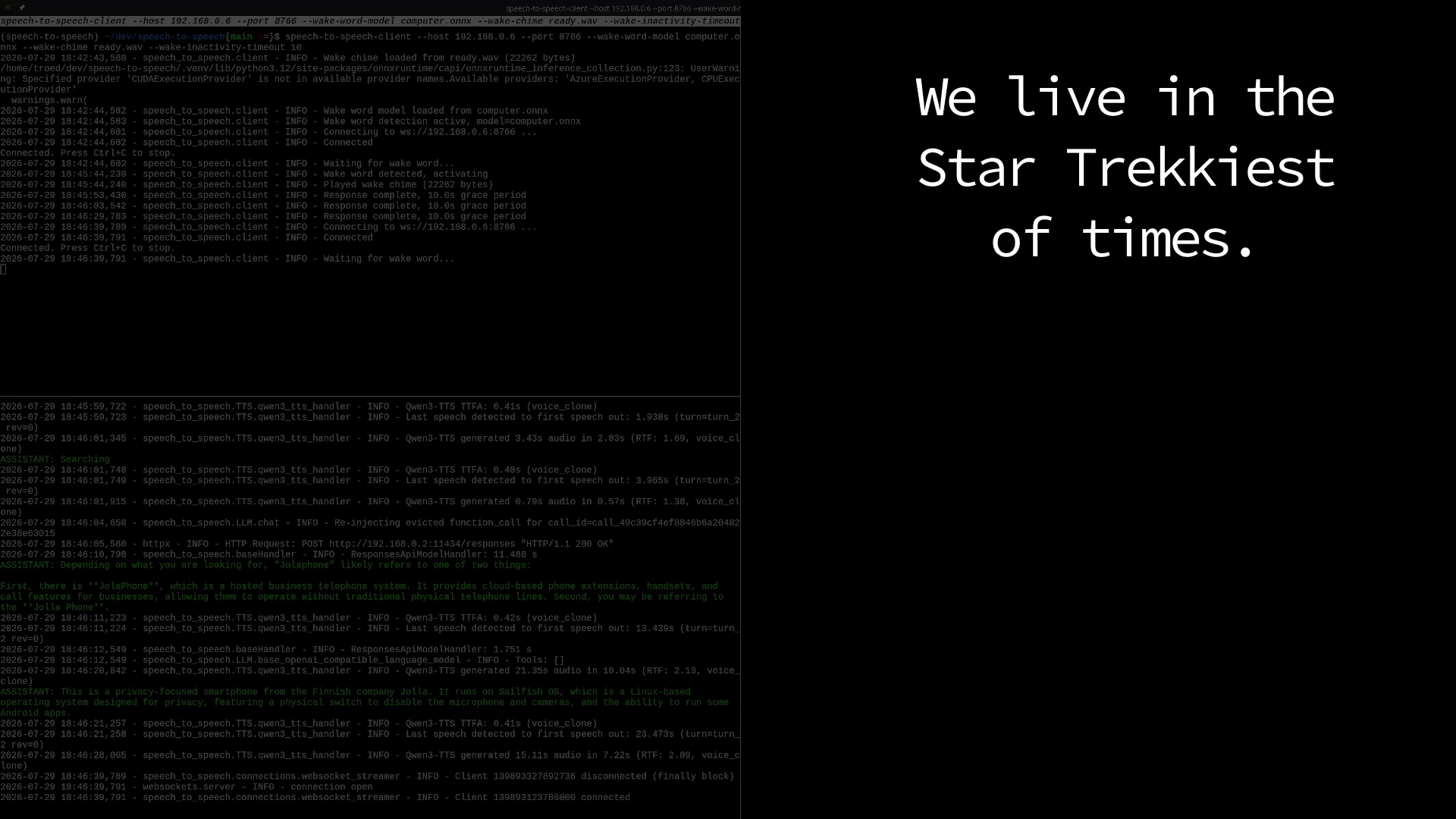
Self-hosted fully working ST:TNG voice computer interface

This has been my dream since I was a teen - and now the tech is real. This is a fork of an existing speech-to-speech project by Huggingface, with a lot of additions to add the right chimes, the voice* and the overall wakeword architecture.

I've had it running for a day and ... I like it. I'll most likely wire up a version of this throughout the house so the whole family can live the trekkie life :)

*) Cloning Barrett's voice ... I know. It's just little old me showing that we now have the tech, not some commercial venture. It's done with the utmost of respect for her craft throughout all those years!

Self-hosted fully working ST:TNG voice computer interfacehttps://video.troed.se/w/5FqDa2jVqCcQWxetJEivnwOpen linkView original on fedia.io
108
bazzite·Bazzitebytroed

[Early release] Bazinga - web service and CLI to simplify pairing, waking and Steam user account switching for Remote Play

We have a Bazzite box that different family members often use for streaming to their own laptops/computers from. It's cumbersome having to walk to the room it's in to wake it from sleep or log in their user into Steam on so that a Remote Play session can be started.

Created a little utility that runs a web service on the Bazzite box that can switch the logged in Steam user (guardrailed so that no switching can be done if someone is currently playing).

Additionally the binary (Windows, macOS and Linux) can run as a cli to do the switching, as well as sending a Wake-on-Lan packet and perform Steam Link connect PIN pairing.

Note: This is very early, only tested on our own system at the moment. It might also work on plain SteamOS with very little adaptions, that is completely untested though since I don't have such a machine.

Source repo for building (no ready binaries until I know it works for others too): https://git.sync.wtf/troed/bazinga

[Early release] Bazinga - web service and CLI to simplify pairing, waking and Steam user account switching for Remote Playhttps://git.sync.wtf/troed/bazingaOpen linkView original on fedia.io
12
localllama·LocalLLaMAbytroed

llama rpc exists and works really well

I've been back'n'forth for a while whether to invest in a second 5060Ti to be able to go dual GPU on my main workstation. The target has always been to be able to run Qwen 3.6 27B at a usable model quant, kv-cache quant and context size.

Today I tried out llama.cpp with the rpc option. I sort of knew at the back of my head that there were projects doing cross-computer inference but I didn't know it was built into llama.cpp.

Sure, this requires that you have another machine on your local network (latency matters) with a GPU - but in my case I actually have two. One server that has a 12GB A2000 and one Bazzite box with an AMD something also with 12GB VRAM.

I just compiled the latest llama.cpp HEAD with the rpc option enabled on my headless server and launched my main llama-server pointing to it. With the 12GB of the A2000 in the mix I'm now able to comfortably run the 27B model Q4_K_M, Q8_0 kv-cache and 140000 context size, and I've still not maxed out the available VRAM.

PP at ~400 (a bit low, will see if that can be tuned*) and TG at 25 (MTP and ngram enabled) makes this perfectly usable. That's the token/second during inference I would've expected from a dual GPU setup in the workstation anyway.

So, if you also happen to have another machine on your network with spare VRAM - try out llama rpc. I have no idea why it took this long for me to do.

*) This is literally my first run with random defaults - tuning starts now

llama rpc exists and works really wellhttps://github.com/ggml-org/llama.cpp/blob/master/tools/rpc/README.mdOpen linkView original on fedia.io
24
localllama·LocalLLaMAbytroed

Qwen 27B Q4 at usable speed on 16GB VRAM

Not my settings! All credits to "Stainless-Bacon". I did however replicate the setup just now and I think it's worthy of spreading.

The trick is in a targeted offloading of only a specific kind of layers to CPU making it possible to run a higher quant that otherwise would be too slow to be usable.

Remember to compile llama.cpp with GGML_CUDA_FA_ALL_QUANTS=ON

Original settings below. Since I'm using the iGPU for the system I'm slightly tweaking them to use even more VRAM. On my 5060Ti I'm getting prefill 500-600tps (ub at 2048) and tg at ~10tps.

export GGML_CUDA_DISABLE_GRAPHS=1
llama-server \
  --model Qwen3.6-27B-Q4_K_M_MTP.gguf \
  --chat-template-file froggeric_fix.jinja \
  --chat-template-kwargs '{"preserve_thinking": true}' \
  --jinja \
  --spec-type draft-mtp \
  --spec-draft-n-max 2 \
  --fit off \
  --n-gpu-layers 99 \
  --override-tensor 'blk\.(2[0-9]|3[0-9]|4[0-3])\.ffn_.*=CPU' \
  --ctx-size 96000 \
  --batch-size 512 \
  --ubatch-size 512 \
  --cache-type-k q5_0 \
  --cache-type-v q4_1 \
  --parallel 1 \
  --temp 0.60 \
  --top-p 0.95 \
  --top-k 20 \
  --min-p 0.0 \
  --presence-penalty 0.0 \
  --repeat-penalty 1.0 \
  --flash-attn on \
  --no-mmap \
  --host 0.0.0.0

https://www.reddit.com/r/LocalLLM/comments/1uxg871/qwen_36_27b_q4_96k_context_running_on_16gb_vram/Open linkView original on fedia.io
40
localllama·LocalLLaMAbytroed

My llama-server suddenly started error 400 on the chat template - this fixed it

I regularly recompile llama.cpp but after having done so today my existing setup stopped working. llama-server started throwing an error 400 on the chat template in the Ornith 1.0 35B model I'm mostly using.

Couldn't find anything (except a closed stale issue on llama.cpp that seemed slightly similar) so I followed the advice from another posted there and installed the linked "fixed" Qwen chat templates.

That worked, so, just posting this here in case it might help someone else too.

My llama-server suddenly started error 400 on the chat template - this fixed ithttps://huggingface.co/froggeric/Qwen-Fixed-Chat-TemplatesOpen linkView original on fedia.io
6
localllama·LocalLLaMAbytroed

GPU bifurcation - options

I have an HP Z2 G9 where I've replaced the original A2000 GPU with a 5060Ti. I'm pondering getting another 5060Ti to be able to go up to dense models instead of MoE, but the PCIe options on this motherboard aren't the best. I will need to use a PCIe extender no matter what I opt for since there's physically no room for another GPU (the 5060 I have is 2.5 slot sized) and so I'm wondering whether I would even gain something from using an M2 slot adapter instead.

Any insight welcome.

(1) PCI Express Gen5 slot x16 mechanical/ x16 electrical (full height, full length)
(1) PCI Express Gen3 slot x4 mechanical/ x1 electrical (full height, full length, open-ended)
(1) PCI Express Gen3 slot x16 mechanical/ x4 electrical (full height, full length)
(1) PCI Express Gen3 slot x4 mechanical/ x4 electrical (full height, full length, open-ended)
(1) M.2 2280 Storage (PCIe Gen4 x4)
View original on fedia.io
6
localllama·LocalLLaMAbytroed

Opencode llama-server prefill/generation stats plugin

I've just published an Opencode plugin I made since I couldn't find one that fulfilled the exact use case I had myself. Publishing and posting in case it's useful for someone else too.

When working with local models I have the need to know why there's suddenly nothing happening (besides the blue cylon-bar) but the plugins I found only showed token generation data when something was passed into Opencode. That meant that during >1 minute prefills there was no output at all.

This plugin uses the /slots endpoint (enabled by default) in llama-server to deduce whether it's currently generating tokens or doing prompt processing, and also the current tps for that activity. Now I can just run llama-server as a daemon and I no longer feel the need to go inspect its output just to see what's up.

It's likely only useful in a single-user scenario, but it has been tested with both single and multiple parallel slots.

Installation:

opencode plugin @troed/oc-ls-stats@latest --global

https://codeberg.org/troed/oc-ls-statsOpen linkView original on fedia.io
18
localllama·LocalLLaMAbytroed

North Mini Code v1.0 - a Qwen 3.6 35B MoE alternative

Since I like having more than one local LLM to switch between when analysing tricky development issues I decided to try out this new MoE model today. It's a 30B A3B which means it's basically a drop-in replacement for Qwen 3.6 35B A3B with suitable llama.cpp parameters the same.

On their own published benchmark metrics it's supposed to be slightly worse than Qwen, but so far it's not something I've noticed. It's tuned to work well in Opencode which is how I'm running it as well.

Try it out, see how it works for you. I know that there are those who would rather use a Canadian than Chinese model in today's political climate and it does seem to perform better than Gemma 4 at least for me. Just don't forget to use the PR linked from unsloth's description until it has been merged into main.

North Mini Code v1.0 - a Qwen 3.6 35B MoE alternativehttps://huggingface.co/unsloth/North-Mini-Code-1.0-GGUFOpen linkView original on fedia.io
14
localllama·LocalLLaMAbytroed

Don't skimp on the quant when using MoE

Maybe it was just me, but in case others have done the same this post might help someone else too.

I have a workstation with plenty of CPU and system RAM, but I'm "GPU poor" in that I only have a 5060Ti with its 16GB of VRAM. Additionally, I need to use the GPU for regular system activities too which means I only have around ~14GB of VRAM available for the LLM.

I'm exclusively using this setup for development and system management tasks, and I've found Qwen 3.6 35B A3B to excel compared to other models. I don't have the VRAM to run the 27GB dense model, so I've spent time on getting the best usage out of the MoE.

Or so I thought. Since "everyone" says to use Unsloth UD-Q4_K_XL that's the quant I've been using, and I've gone a bit back'n'forth with MTP/no MTP, UB increase, mmproj since I've also started using a browser MCP etc.

Today I took another look at their quant chart and thought that since it's MoE maybe I could run Q5_K_S which would be a step up?

Well. Now I'm using Q6_K because it turns out I could run that with the exact same settings as I've optimized my Q4_K_XL setup for which means there are no drawbacks - just a better performing model. I've already noticed how it's able to get out of loops while before I had to interrupt it sometimes.

This is my setup. I get >1000 t/s prefill and >20 t/s inference. I'm not chasing faster inference since I actively read the thought process when working the LLM - but I've increased ub to get faster prefill since that's just waiting time otherwise.

./llama-server
    -hf unsloth/Qwen3.6-35B-A3B-GGUF:UD-Q6_K \
    -c 160000 \
    -n 32768 \
    -fa on \
    -ub 2048 \
    -ctk q8_0 \
    -ctv q8_0 \
    --no-mmap \
    --mlock \
    --no-warmup \
    --chat-template-kwargs '{"preserve_thinking": true}' \
    --temp 0.6 \
    --top-p 0.95 \
    --top-k 20 \
    --min-p 0.0 \
    --presence-penalty 0.0 \
    --repeat-penalty 1.0 \
    --host 0.0.0.0

I also use Opencode with the DCP and Superpowers plugins, which make a tremendous difference both to context handling as well as planning. I have no need for a larger context - I even compact early quite often since the tasks get done before reaching the limit.

Don't skimp on the quant when using MoEhttps://unsloth.ai/docs/models/qwen3.6#unsloth-gguf-benchmarksOpen linkView original on fedia.io
30
games·Gamesbytroed

Is it possible to reach 200 memories in the current Hytale pre-release?

Seeing as the game happily lists Mithral and Storm Leather as things that can be used for equipment and upgrades without them existing (currently) in the survival portion of the game, is it the same with the memories?

I'm at 196/200 for the last things to unlock and it's getting very difficult to find something new. The progress bar indicates there would be ~50 more things which seems ... incredible.

Anybody knows?

View original on fedia.io
22
RemoteWork·Remote workers unite! ... Separately!bytroed

Dual computers - only one "office chair / monitor setup"

Due to neck pains I've been unable to solve in any other way I've just ordered a "Zero-g workstation" from Levus. While waiting for it to be delivered, I've started looking into everything else I need to sort out as well.

Up until now, I've had two different work desks for my remote working setup. One for the client (I'm a contractor), and one for the company where I'm employed as well as my own personal use.

With the Zero-G workstation, I'll now need to use it for everything for it to be of any use. This is what I've identified so far:

  1. Deskhop for keyboard/mouse. These I already use in various setups (see Github for the project) and they're absolutely awesome. Since they're completely done in hardware with no drivers, there's nothing I need to install nor any risk for leaks of information between client and non-client systems. Additionally, they support whatever keyboard/mouse setup you have.

  2. Switching input to the monitors without having to physically reach out and navigate monitor buttons. The DDC protocol seems to solve this, I've just made some initial tests and think I'll manage to work with this.

  3. Webcam. This I haven't solved yet. A naïve solution is of course to just buy another one. For work I've previously used the one in the client supplied laptop, but in the new setup there's no way that angle will work.

  4. Speakers. Not worried about this, client sound can probably come through the laptop they supply as before.

What am I missing, and does anyone have any other solutions to the issues above I haven't thought about? The total amount of monitors will be four, where two will be switchable between client and non-client work.

Note: Due to the nature of my work (cybersec) the systems need to be completely separate. I don't even run the client laptop on the same VLAN as anything else.

View original on fedia.io
4
RemoteWork·Remote workers unite! ... Separately!bytroed

Remote Work - my experiences

After 25 years in the industry as a software dev / manager and various other roles I decided it was time to just do the actual hands-on stuff that I enjoy. I became a consultant, with 100% remote being a requirement.

I've worked that way for soon three years now, and I've never been more productive whilst at the same time enjoying what I do than now.

I'm based in Sweden, where 100% remote is still somewhat unusual. Most workplaces embrace some form of hybrid but it still means 1-2 days at an office which limits the pool of workers to those living within reasonable commuting distance. For this to change we need to be able to show how things can work well without that office time, which I feel puts some pressure on us that are already fully remote.

Anyway; here's how I've handled it:

  1. Separate room and/or building for the home office. This is an absolute requirement - both for your focus when working but also to be able to "leave work".

  2. You cannot overspend on suitable office furniture. Get the best ergonomic chair, keyboard etc. You want to enjoy working.

  3. Overperform. Yeah, maybe not the most fun to hear but imagine being your employer. If things are less than perfect the person that's remote will be terminated before others. You're the one not having to go into the office, so evenings and weekends you might want to be the first one to raise your hand.

  4. Make yourself seen. Even though others might turn the cameras off when in a videoconf, you'll want to have yours on. The others need to "know you" as they know the other colleagues they see in the office.

  5. For the love of Brian - DON'T get any idiotic ideas about "more than one job" or trying to do things "on the side". You wanted remote working - don't screw it up.

  6. Be extremely transparent in your communication. Humans communicate much more via body language, tone of voice etc than just via text. Explain what you're working on, what your thoughts are, how you're thinking about approaching a problem etc. Not just for your colleagues, but for your manager as well. Write a weekly report even if unprompted. Remember, you don't want "wonder what they're doing?" thoughts popping up just because they can't see you.

Ask away.

View original on fedia.io
16
globalnews·Global Newsbytroed

The majority of Ukrainians are ready to fight Russia without U.S. support

74% of Ukrainians support fighting Russia even without U.S. assistance. A significant majority—59% of respondents—also believe that Ukraine can defeat Russia on the battlefield

only 6% of respondents said they were willing to make territorial concessions regarding areas occupied by Russia after the full-scale invasion in 2022

Additionally, 70% of respondents are against lowering the mobilization age,

Original article is paywalled, quotes from https://ukrainetoday.org/74-of-ukrainians-ready-to-resist-russia-without-u-s-aid-support-zelenskyys-actions/

The majority of Ukrainians are ready to fight Russia without U.S. supporthttps://www.economist.com/europe/2025/03/12/is-zelensky-a-disliked-dictator-or-a-popular-heroOpen linkView original on fedia.io
194

Are you still here Proton?

We're consolidating our social media presence due to limited resources and no longer posting on Mastodon. Follow us on Reddit

Please tell us that you're not moving away from Lemmy/Mbin too. There's a gigantic tonedeafness to asking your supporters to use centralized social media at this specific time that's hard to accept you're not realizing.

(quote from Proton's mastodon.social account info - there wasn't even a post made about it)

View original on fedia.io
100
privacy·Privacybytroed

Kagi search engine working with Russia

Swedish author and famous pro-Ukraine blogger Lars Wilderäng (Cornucopia) reports today that the Swedish security expert Karl Emil Nikka has revealed that Kagi is using the Kremlin propaganda tool Yandex as a backend for searches.

Wilderäng speculates this might mean search terms are leaking to Russia, while others worry about how Kremlin thus can get their talking points into western search results.

Security expert Karl Emil Nikka tells us that the search engine Kagi, popular among tech geeks, uses Russian Yandex, which was introduced after the full-scale invasion. This, of course, gives Russia the opportunity to look at what is searched for via Kagi.

Link (in Swedish), see 11:22 update: https://cornucopia.se/2024/10/uppdateras-ryssland-medger-bruk-av-c-stridsmedel-mot-ukraina-rysk-pilot-som-mordade-68-ukrainare-ihjalslagen-med-hammare-bland-de-allra-storsta-ryska-forlusterna-under-kriget-igar/

View original on fedia.io
73

You reached the end