
Spyke

Posts

artshareArt Share馃帹byinsomniac_lemon

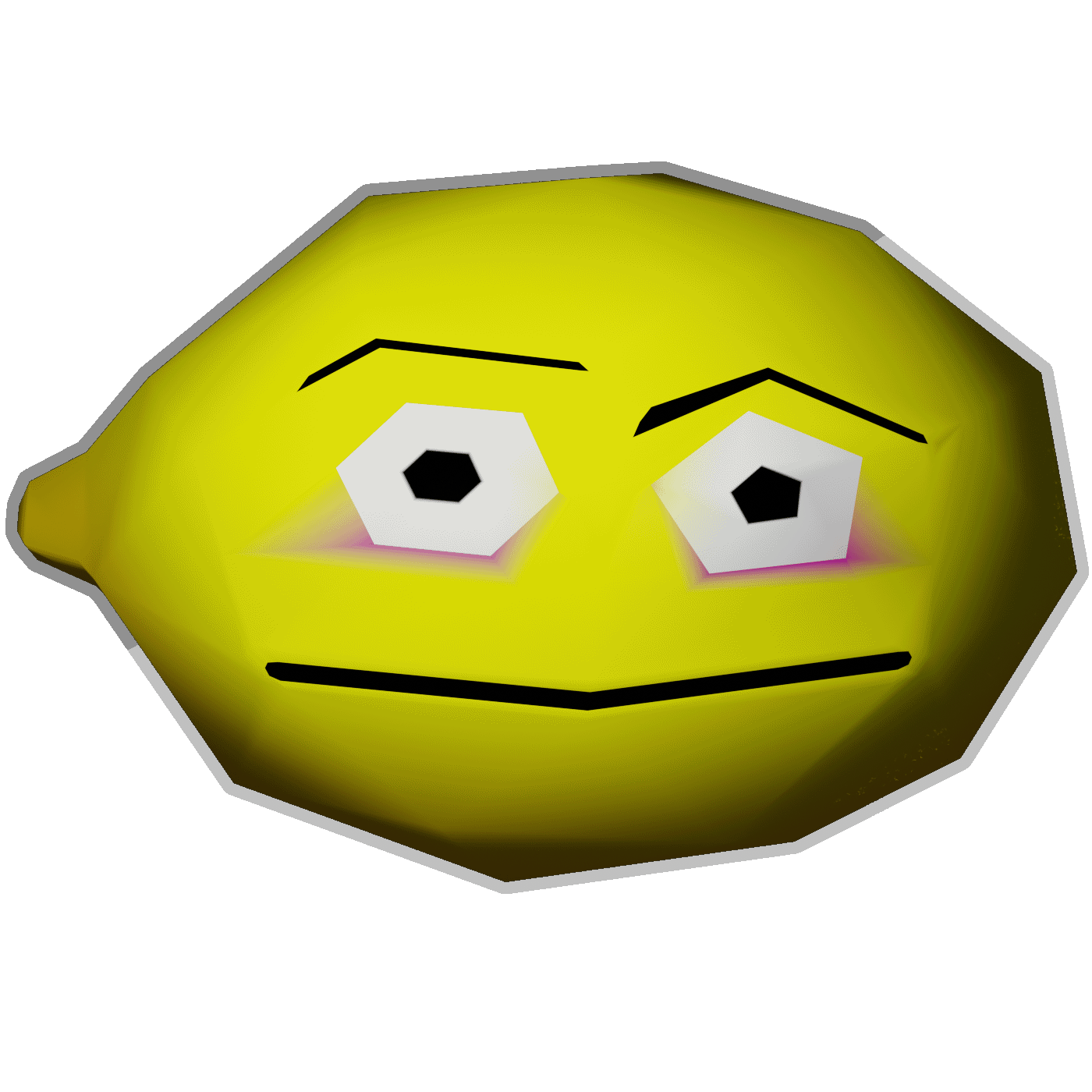
Yeah I stole the idea from a spam thumbnail, low-poly 3D vertex colors only

Made with Blender. If you want to see more (or read details I've written about before) I have other threads but note that most instances I've seen seem to only get one thread or the other (so you may need to look at my threads on Kbin). There's another image (an office plant) in the comments of one too. Nothing really substantial yet, just trying stuff.

Aesthetic note: Some of the look is just a side-effect of a lower resolution with color reduction to reduce the data of the png. For live-rendered content, I prefer high-fidelity (if certain options actually have a benefit maybe I'd use it, but even then something like vertex lighting is more likely).

For potential gamedev I'd like to use Raylib (with bindings for Nim-lang, and I ran into the issue of vertex colors not loading). Godot 3.X could work but I noticed every imported model will have its own material (Godot 4.X would be nice, but no production-ready bindings for Nim yet like 3.X has).

The Blender workflow here could be better:

  • give every new object color data by default
  • render settings eg filmic contrast w/transparency EDIT: this is covered by file>defaults>save...
  • swapping to solid render mode for the vertex paint mode and then back to rendered for object mode
  • an add-on to set vertex colors in a way that allows quickly editing them (sort of like a color index)?
  • do geometry nodes have any use for this style/vertex colors?
    • I made a spiral vase with modifiers easily, but couldn't figure out how to make stripes in the vertex colors without applying the modifiers first and doing it manually...
View original on kbin.social

Trying out some vertex-color-only lowpoly art in Blender

This tech should not be forgotten, it is good enough all on its own.

No textures anywhere in this scene. Badger's eyes are a separate mesh (to have a shiny material, probably could be joined though) but everything else is its own mesh, and the saucer has a glow effect on the bottom and notches (the dome is just smooth shaded).

Forgive any lazugliness here, haven't done much in a while and this isn't for anything other than fun/testing. Also odd trying to test things that use vertex colors in the way I want to show while also being easy enough for me to create.

Would like to use stuff like this with Godot (locked into 3.X for the language that I want) or Raylib, I wanted 2D but this is supported better (though it is a bit higher of a barrier). Haven't tested it yet, I assume some of the methods I used (flat shading, face colors aka face masking) increase vert count (assuming they don't cause issues, like rendering via Eevee Cycles causes visible triangulation).

Aesthetic notes: I prefer the native-resolution look (no pixel filter) and don't mind materials/effects (if it's not too intensive). I'm not totally against textures, but I'd use them sparingly and grayscale (and maybe even general purpose patterns that are used in multiple places).

Vertex color skyboxes are magic, too. Not attempting that yet, but a tool does exist for it.


Blender side note: I made a spiral vase via modifiers (yes, because Spyro 2 vase), I don't suppose it is possible to

  1. get hard edges without altering mesh (rebuild) or applying modifiers

  2. put vertex color stripes on dynamically without applying modifiers?

  3. use geometry nodes for something like this viably?

Also separate note, but I assume greasepencil would be useful for things like wall art or even cutscenes. Probably not so much for 2D if it needs to be rendered out first.

View original on kbin.social
AskKbinMoving to: m/AskMbin!byinsomniac_lemon

Easy workflows for intentionally upscaled art?

So the basic idea here is using a low-resolution texture that is designed specifically to be upscaled (anything but the first 3) to a simpler smooth aesthetic. Pixel blob/triangle/hexagon etc in with a 32x-or-lower texture (which is all that is downloaded), crisp shape(s) out. Also probably things like lineart for faces (or other similarly composed pieces), generally less colors hopefully preventing ambiguous details.

Batch conversion / post-processing / basic filter (to preview) are all options, but a live shader in an editor would be more useful. Even better for multiple outputs to see results for different shaders and make designs with their quirks in mind to make specific looks (esp. if multiple shaders can be used), or even just an option to tinker with (say if other pixel-art programs are better).

For an editor, I'd want to use Krita (a G'MIC filter would be fine but the ones I tried weren't great**) or maybe a web editor. GIMP would be fine too.

For a medium I probably want to use Raylib, Godot 3.X (with this aesthetic at least), or maybe even Krita animations? Basic 2D/3D, tile maps (per-layer filtering?), bump maps or other PBR/shader inputs, texture warping, using sprites in 3D, animation etc all seem interesting.

SDF (Signed Distance Field/Function) textures are a similar endpoint (and I would consider using Inkscape for that).


For some backstory, I don't really want the pixel art look (especially because I'm not so good at it) nor do I have the skill for a painted look. I'd rather have resolution-independent* art, but upscaled could allow using raster art's tools/features for better support and easier tools/creation/aesthetic etc. particularly for learning/practice while still allowing for higher resolutions than tested for.

I could probably just go for untextured 3D with vertex colors, but I kinda don't want the extra complexity or needing to use Blender. Though both 2D polygons and 3D meshes could be used alongside upscaled textures.

*= Like THE EYE, but there are issues like it needing not-yet-released-PR which may not perform well if used to create an entire scene, plus AA support not being everywhere even for basic polygons, or language bindings being unavailable for some languages in 4.X (ones that work in 3.X).

**= Upscale [Scale2x] works somewhat (16x with x 8 scale factor to get a 128x texture), though the preview appears broken and you must manually resize your canvas before running it. I suspect this is because it is an older filter.

Meta note: No tags used because the relevant ones I could think of all relate to content, particularly pixel art which this doesn't really relate to aside from specific intention and maybe some techniques.

View original on kbin.social
nimNim Programming Languagebyinsomniac_lemon

Reply to *So I'm kind of experiencing some cognitive dissonance*

Reply to So I'm kind of experiencing some cognitive dissonance

Was going to post this on an existing microblog but it won't go through for whatever reason. Reply to @futureisfoss and somewhat to @sotolf as well.

I haven't kept up w/it, but Dominik (who made the package manager and a book to say the least) quitting a little over a year ago seems like it was a significant setback all on its own (which probably has made a major difference by now).

Though I also haven't really started yet (it certainly doesn't help lacking stuff, like Godot 4 bindings are still being worked on by 1 person) so maybe me dropping it is part of why I feel cynical. The last code I did (months ago, in September), load format example (I didn't really make a complete system, because technical hangups and no idea on resulting usage)

View original on kbin.social

Any recommendation for an object modelling application (free+Linux support), or is Blender the only go-to? I want to do basic [#lowpoly](https://kbin.social/tag/lowpoly) models and vertex colors as we

Any recommendation for an object modelling application (free+Linux support), or is Blender the only go-to? I want to do basic #lowpoly models and vertex colors as well (textureless, at least early on). Maybe (skeleton or vertex) animations?

In the tinkering stage now, currently have tried Raylib (have done stuff for 2D polygons but seems pretty limited, also note I want to use it with Nim-lang). I figure 3D might have better support here (due to the format), though maybe some other framework would be better too? Spyro is some inspiration/motivation here with vertex colors used for effects (also, vertex skybox).

Some type of gridmap editor (crocotile, cube 2:saurbraten) might be viable to make object models (unsure of for characters and vertex colors) but I haven't checked them out. Also looked at Gamefromscratch's stuff and didn't really find much. Dust3D is a thing but I don't think that's the type of workflow I want (maybe for an organic character).

#ps1graphics

View original on kbin.social

You reached the end