Spyke

Recommended CAD for Linux?

About to start my 3D printing journey and I see FreeCAD can become frustrating due to crashes and bugs. Was wondering what software would you recommend that works on Linux?

Tangential: Would it be useful to create a wiki woth these kinds of FAQs in the community info section? I see the Reddit ones have an extensive wiki for example, might be useful here

Edit: thanks everyone for the suggestions and clarification, will check all of these out!

View original on lemmy.world
cad·CADbyWFH

I made a F1-style steering wheel for VR sim-racing from scratch

cross-posted from: https://lemmy.zip/post/51305553

I've been wanting an F1-style steering wheel for sim racing for ages, but I didn't want to spend massive amounts of cash on a commercially-built steering wheel that could be great but had loads of features I didn't care about (especially LEDs and a screen) since I play in VR.

A colleague of mine, who is also into sim racing, built a steering wheel that was better than almost anything you can find from Fanatec/Moza/Thrustmaster/whatevs for around 500€.

So, of course, I decided to buy the same thing build it myself from scratch for the challenge and to save some money. Because I'm an idiot, I guess. I thought it would take me 2-3 weekends. It took 4 months. It's basically a wheel-shaped mechanical keyboard. It was the biggest non-essential project of my life. I learned a lot, including not getting myself delusional enough to start that kind of project on a whim.

Features:

  • F1-shaped steering wheel, heavily inspired by Ferrari's one with the general shape and front. Back is closer to Mercedes'.
  • Magnetic shift paddles
  • Analog clutch (WIP)
  • 7 rotary encoders
  • 10 face buttons + 2 back buttons + 5 clickable encoders
  • Quick-release connection to the steering column
  • Aviator-style USB connector
  • QMK firmware
  • Everything is 3D-printed except for the aluminium mid-plate and the quick-release

If you guys are interested I have a few WIP pictures, so I could start a build log. WDYT?

View original on lemmy.zip

Solidworks issues

When replacing a component you select the component to be replaced, then it gives you a useless list of parts you have open. Usually you want to replace one screw for another... Library parts. No matter just remember in your mind what part it was. I mean you have a computer, but use human memory because the UI won't let you pick something already in the assembly for example and good luck trying to copy paste. Using PDM, it drops you into the file manager... But if you want parts from the PDM system, why not use the specialized sear menu which is a separate click away? Sure, you could just type the name of the part, but nah, lets have this extra blocking menu, and then type the part.

I suggest to go to chat GPT and have it barf a new UI.

View original on lemmy.today

SW...there's a file that needs your attention!

From the makers of solidworks comes the new untitled game!

Here's the game play! Solidworks will tell you there's a file that needs to be saved! You know, because some rando in your company referenced to it in a sketch. SW provides you with a "don't show again" button! That way if you don't want to play that game, you can play one of the next two hundred ones that look exactly the same! Its great!

What's the file or the relationship? That's for you to find out!

View original on lemmy.world

SW measuring grievences

I only write grievances because I know nothing will change.

Suppose you got two locations one is anywhere around a circle. The circle is at 45 degrees from at least one nominal plane. The other point is on a line located also at some off angle. You want the straight distance.

In NX this is simple... Point to point minimum for example would get that dimension. Otherwise you can use the circle as the plane of orientation and measure up towards the line. Anyone who has ever done this by hand and has some background in calculus could figure out a way. But not solid works. No sirybob! That's a $10k feature a year if you need it!

How about a green hue theme for the entire app? No problem! That's the next upgrade! And screw you if you don't upgrade because anything someone opens with the new version is magically not backwards compatible! Fuck solid works! Stop using this stupid software.

View original on lemmy.world

SW grievances 2025

I Begin my shitty Cad software year with solid works.

Imagine you are checking in an assembly into PDM and it flags an totally unrelated part or assembly as a reason for not checking in (which is soon convenient, I can't tell you how much I would love to be stuck at home because the battery on one of my 4 TMP sensors is dead. Lovely. Couldn't even drive to the tire shop if that was the case)...and so you go type the name of this component in the filter. I type at a good 30 words per second while this filter accepts 1 letter per minute. Possibly blocking, meaning you can only type the next letter after the previous letter has been registered and a new letter accepting window is open. Who designed this deep shit idiotic entry field? Must have had a brain aneurism while coding it. Dude, let me type the fucking word, then when it's done, take your fucking time searching for it! Grrr!

View original on lemmy.world
cad·CADbywjrii

What cheap setup or technique works for truly flat photos for use in CAD?

cross-posted from @[email protected]: https://lemmy.world/post/23787115

I've managed to do reverse engineering of circuit boards using GIMP and rough alignment of layers using images like the one pictured. I want to use images to reverse engineer parts in CAD, but the minor lens distortion of a camera on a phone at ~20cm high on top of a stack of objects to keep it eyeballed flat is not enough. The result is off in multiple planes. There are minor errors in my curves in the transparent CAD part pictured, but the hole pattern is correct. The picture has been calibrated to 20mm against the ruler. Any suggestions on how to make this usable for replicating the ellipse that crosses the holes ±0.05mm?

View original on lemmy.world

SW grievances Dec 2024

So I often like to save a version of an existing assembly to a new one.. "Save as copy and continue". I would expect a simple rename click, done action. Instead I get hundreds of these extra "do you want to rename x part" windows. Enjoyable. Each screen has a "don't ask again" checkbox but it is incorrectly designed to not ask again for that one part where the problem is that a torrent of parts will ask the same question. SW is plagued with stupid shit like this. Several revisions later, still not addressed.

View original on lemmy.world
cad·CADbywjrii

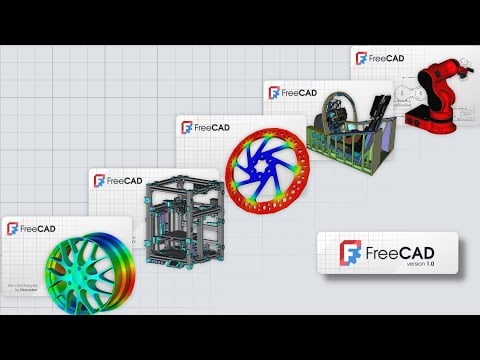
FreeCAD v1.0 released.

Let's take her out for a spin...

EDIT: annnnnd two crashes on the x86_64 AppImage in twenty minutes, both when attempting to start a sketch on a face. Could easily be my Kubuntu install, but... sigh.

EDIT2: Seeing that some issues might be related to changes to the Appimage framework. I'll need to see if I need some system updates. Windows version is running smoother, though my middle mouse button stopped working for some reason until restarting the app. If you haven't tried FreeCAD in a while, give it a shot; you may be pleasantly surprised. If you have, it's not a vastly different experience than recent daily builds or Ondsel (RIP).

FreeCAD v1.0 released.https://blog.freecad.org/2024/11/19/freecad-version-1-0-released/Open linkView original on lemmy.world
cad·CADbywjrii

Ondsel shutting down

Not that it's much to brag about, or that I'm rare for having done so, but I definitely called this one. I am really not sure how they ever really thought FreeCAD just needed Cloud PDM to make a dent in the commercial market. Hell, part of me wonders if the devs actually believed that, or if this was all a low-grade Robin Hood grift to plow some VC resources into FreeCAD for a couple of years. 🤣

Ondsel shutting downhttps://ondsel.com/blog/goodbye/Open linkView original on lemmy.world

Newbie Q -- Best Design Practices??

I have become fairly proficient with OnShape thanks to their free courses and while I am fairly competent with the controls and achieving something serviceable, I would really love to get into learning more about CAD/product design best practices.

There's probably a class or two in freshman engineering that gets into this stuff but I am mostly picking things up through trial and error. I am mostly just poorly imitating stuff I have seen after a few decades of taking things apart and occasionally putting them back together.

Like: How should I design two parts to fit together optimally? How should I decide what kind of hardware and why, or where? Screws? Bolts? Glue? Holes, where and why? What are some things to look out for when designing universal parts?

Also, are there any good references for working with PLA? I have a good sense of what things will look like after slicing and have got pretty good at making things that will print well and be strong but I could always use more references.

View original on lemmy.zip