

Heroic Games Launcher v2.16 released with improved Steam Deck / Linux game compatibility
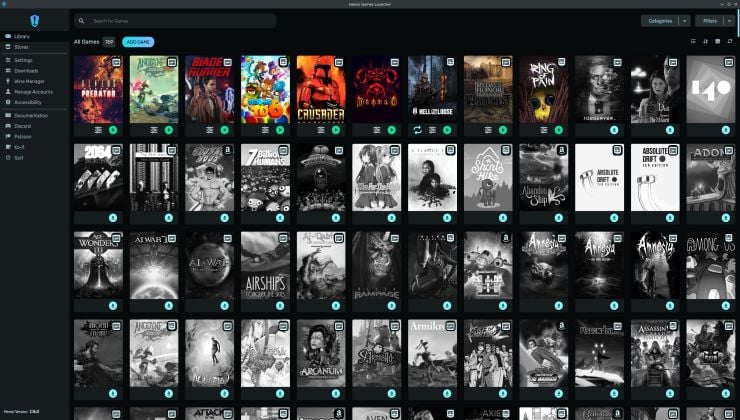 https://www.gamingonlinux.com/2025/03/heroic-games-launcher-v2-16-released-with-improved-steam-deck-linux-game-compatibility/Open linkView original on lemmy.world
13 replies
I use this. It works nicely with gog and steam
Yeah, since that update, one of the games I play - XCOM Enemy Unknown - suddenly has extremely poor performance. FPS drops to 3-4 fps. It used to work fine before. I don't know what happened.
I need help!
Maybe your proton version changed. There's a setting to keep the version and game version from updating
No. I looked. It's using the latest wine-ge-proton.
I just reinstalled it, hopefully I still have my save games lol 😅 It's late now so I'll check tomorrow.
There's a reason there are several versions of Proton. Sometimes the older version works better. If you look at ProtonDB, that appears to be the case here.
To get back to you about using a different version, I've tried downloading older versions as recommended, but I still have the same low FPS problem. I was able to make it run with a high framer ate by adding PROTON_USE_WINED3D=1 but this would cause graphical glitches, especially at the start screen with the heat/smoke blur effect which would just turn into black squares.
Sorry to hear that
Aaaah OK. I'll take a look.
Do you have protonup-qt installed? Can you try using it to install standard Proton-GE instead of WINE-GE?
Heroic launcher has a proton/wine manager. You can pick from a list and then select the one you want when you run the game.
I tried with both latest and the result was the same.
I know. I meant there's a flapak app that lets you download more and newer versions of Proton. I can't promise it'll fix your issue but it might be worth trying.
That same functionality is built into Heroic. There's no reason to install a redundant manager.
One of the first apps to get installed on my pc, as soon as yay is setup.