Spyke

Posts

blender·Blenderbyhayk

help needed with a texture for a shield

hi guys, as a practice, i made this shield model using some geometry nodes magic and a bunch of modifiers. the issue is i can't figure out a good way to make materials for it.

there are essentially 5 different materials i want to make:

  1. the main wood obviously (the one on the screenshots is just a placeholder)
  2. the outline metal (i managed to make something which looks half-decent, but would like a bit more roughness and details)
  3. the central metal (i want to give it a bit more of a rough bronze look)
  4. the wooden handle (more weathered look)
  5. leather inside the hemispherical inlet.

i was wondering if you have any ideas on what resources i could use. or any specific techniques to make it look more realistic. i like making procedural materials, so anything along those lines would be a big kudo!

also of course, any comments on the overall set (lights/environment map/rendering settings) are also more than welcome!

PS. also, of course, would be happy to share the blend file if you're curious (although i don't think it's too complex of a model)

View original on lemmy.ml
22
linux·Linuxbyhayk

Short summary of my experience with NixOS: pain, admirations, concerns

It was a rainy weekend, and after brewing a mugfull of coffee I sat comfortably and opened my laptop that I powered off yesterday after running an sudo pacman -Syuu yesterday to keep my Arch up to date. I like keeping things nice and up-to-date you know. The first red flags came when my fingerprint recognition wasn’t working when I tried to log in – but that’s fine, I can fix that later, not a biggie. Then the bluetooth was not seeing any devices; after 20 minutes of twiggling, reinstalling, restarting services, it did ultimately find, but didn’t cast audio through that. That’s ok, we’ve been there before, right? Wait why does my dGPU not turn on? Ok, let’s try reinstalling the drivers and cleaning some of processes, restarting. Ok now my bluetooth doesn’t work again – odd. Wait dGPU also still doesn’t work, let me remove the drivers completely… oh wait you also want to remove HIP SDK? But I need that for work… I mean, sure, ok I’ll install it again.

Morning slowly drifted to late afternoon, while I realized I have not spent a minute of that time on what I originally intended to do – recreational coding (that’s what all the normal people do on weekends, right?). After ultimately fixing all my issues I sat silently staring at my laptop, realizing I’m now roughly where I left things yesterday evening, except I burnt through a good fraction of my weekend scrolling through the Arch wiki and oftentimes toxic forums, the recurring suggestion from which was “if you can’t handle it, maybe you shouldn’t have used Arch to begin with.”

Well… maybe I shouldn’t have. ...

https://haykh.github.io/tilde/devlog/2025/nix/Open linkView original on lemmy.ml
63
linux·Linuxbyhayk

`nmtui` that does not obliterate your eyes

to my shame i did not know how to customize the nmtui default colors (for the sake of my own health and mental stability). after reading a bit, i found out it uses the so-called newt backend with the whiptail app.

long story short... turns out it reads some of the env variables for that backend to setup the colors (if you're interested, here's where this happens in the code).

so you can simply set these env variables before calling nmtui. here's a combination i came up with:

NEWT_COLORS='root=black,black;window=black,black;border=white,black;listbox=white,black;label=blue,black;checkbox=red,black;title=green,black;button=white,red;actsellistbox=white,red;actlistbox=white,gray;compactbutton=white,gray;actcheckbox=white,blue;entry=lightgray,black;textbox=blue,black' nmtui

enjoy and keep your eyes healthy!

View original on lemmy.ml
260
linux·Linuxbyhayk

Tried Arch for the first time | My experience and impressions

I used linux intermittently in the last 15 or so years, migrating from early Ubuntu versions, to Manjaro, Pop!_OS, Debian, etc. And decided to give Arch a try just recently; with all the memes around its high entry point, I was really expecting to struggle for a long time to set it up just as I want.

Disclaimer: your mileage may vary. I’ve been using some sort of unix CLI since the time I learned to pee standing (last year?), and in case of Arch this prerequisite makes the whole process a lot simpler.

Learning curve

The installation process itself was quite simple. Perhaps the most complicated part was the disk partitioning and setting up the bootloader, as I’ve never done it myself. But then again — on any other OS you kind of have to do the same, except maybe through the GUI and not CLI.

One thing you quickly learn when using Arch — is you always should consult their wiki. Actually, “consult” is an understatement; let me put it this way, on the hierarchy of usefulness: there’s reddit, then stackexchange, then random “how-to” websites, then your logic, and then there is the Arch wiki. Exactly in that order, since your logic may betray you, but not the Wiki. Jokes aside though, they’ve somehow managed to document every minute detail, with specific troubleshooting for almost any combination of hardware out there. This is incredible, and as a person who also spends a lot of time writing documentations — hats off to the devs and the community.

Once you learn how the daemons work, how pacman and AUR packages work — the rest is actually quite similar to any other OS. Except that Arch, even with a bloated DE is frigging fast and eats very little battery. I actually use CLI package installation also in Windows (winget) or MacOS (brew), so learning to use another package manager was not too steep.

Drivers

The main caveats actually come when you want specific drivers for your specific hardware. For instance, the out-of-the-box drivers for my laptop speakers were horrible, with the sound seemingly coming from someone’s redacted (never checked, perhaps it was). But that could quickly be tweaked with the “pipewire/easyeffects” with custom profiles which you may find on the web.

GPU drivers were not really that much of an issue for me (if I actually read the wiki properly). Enabling GPU acceleration in some of the apps (like Blender) required the AMD HIP toolkit installed (they have Arch support) with some minor tweaks in the Blender configs. Similarly, the camera, mic and bluetooth drivers were available as AURs or even native pacman packages.

Caveats

Caveats that come with Arch are actually shared among almost all linux distros (or more specifically — DEs). Support of Wayland, while improving gradually over the years (with a great leap forward in Plasma 6), still sucks majestically. Luckily, for many of the most popular apps (slack, zoom), there are third-party AUR packages supporting Wayland natively (I spent a lot of time looking for exactly that on Debian with no success)! All of the apps I needed I actually found with the Wayland support in AURs, but, again, your mileage may vary.

Takeaways

I’d say if you just bought a fresh out-of-store laptop with no data on it to worry about — you should definitely give Arch a try, even if you’re a beginner. Once you fail a couple of times (like I did), you’ll not only learn a lot more about the behind-the-scenes working of your own computer, but will end up having one of the fastest and efficient OS-es out there, which you will now be able to configure to your exact liking.

Unfortunately, I’ve never been able to really daily-drive Linux (and this Arch experiment is no exception). Don’t get me wrong: I love linux and the idea of having independent open-source and infinitely customizable OS. But unfortunately I professionally rely on some of the apps, that have no viable alternatives for Linux (PowerPoint, Photoshop, Illustrator, Proton Drive).

PS. “but what about GIMP, or Krita, or Inkscape, or OpenOffice, or using rsync for cloud storage, or <YOUR_FAVORITE_TOOL>?” you may ask. Trust me, I tried it all. Every last presentation, raster/vector graphics software out there. Regardless of how much I hate Adobe, their software is top tier, and until GIMP becomes the Blender of graphic design, I can’t really rely use it for most of my purposes :(

View original on lemmy.ml
270
opensource·Open Sourcebyhayk

On the search for the ̶b̶e̶s̶t̶ decent presentation making software

In the post-COVID world where so much is done remotely I'm utterly amazed with the absence of a decent app for making slides. I recently went through a long and honestly very disappointing journey for finding the one and only app that fits my needs. And... yeah... there is none. Here are the requirements I have, and I can elaborate more on why exactly I need each of these. So, my perfect presentation making must:

  • have interactive UI, where you can drag elements around with your mouse/trackpad;
  • support dragging and dropping images AND videos and repositioning them;
  • support latex (or at least something similar);
  • work on all major OS-s: windows/macos/linux.

That's it. That's all I need. Nothing more, nothing less. I'm even willing to pay money to have the app (not as a subscription though)!

I admit that my needs might not be the most common ones, but I also don't think they're totally unreasonable.

Here are the apps/frameworks I tried, and where they succeeded and failed (all graded on the scale of 5), starting from the most popular ones.


(a) Microsoft PowerPoint (4.0/5):

+ (4/5) has nice interactive UI and allows for good configurability;

+ (5/5) supports all the major video encodings as well as images and GIFs;

? (4/5) does not support latex, but kinda has its own equation engine which is good-enough;

− (3/5) has no linux counterpart;

− comes bundled with the Office Suite, the majority of apps from which I've never used.


(b) Keynote (3.9/5):

+ (4.5/5) has by far the best UI and the collection of tools (perhaps the only thing it lacks is the ability to crop videos);

+ (5/5) same as PowerPoint, supports most of the formats that I typically use;

+ (5/5) has full support for latex equations;

− (1/5) no windows and no linux implementation;

− Mac-only, and the cloud version doesn't support most of the functionality -- so really, fuck you Apple.


(c) Google Slides (2.5/5):

+ (3/5) has a decent UI, but oftentimes feels very clumsy with the overly padded bounding boxes;

? (2/5) supports images and gifs, but fails miserably with videos, which it's only able to embed over youtube (or google drive);

− (0/5) no latex support, although I'm aware that some paid plugins allow for it;

+ (4/5) it's web-based, so works essentially on any platform;

− obviously, because it's web-based, you can't do anything offline.


(d) LaTeX Beamer (3.3/5):

− (0/5) no UI at all, and getting things line just right is quite a headache;

? (3/5) getting videos is kind of a nightmare really, as it compiles into a pdf, and not all pdf engines support videos;

+ (5/5) no comment;

+ (5/5) no comment, although you have to install an 8 GB-worth latex suite on your system, or do it on a website like overleaf.


(e) LibreOffice Impress (3.3/5):

+ (3/5) the UI is very reminescent of the Google Slides, so is kinda clumsy, although you can get used to it I guess;

+ (4/5) kinda of supports all the major image/video formats, but I've had trouble with some of the encodings;

− (1/5) no latex (although third-party plugins can enable it, but they never really worked well for me);

+ (5/5) supported no all major OS-s.


(f) Marp/Slippr/Cafe-Pitch/Reveal.js (3.5/5):

− (0/5) no UI;

+ (5/5) because they all use js-based engine (like electron), you can make any format work with them;

+ (4/5) same here, although some don't have latex out of the box, it's relatively straightforward to enable a MathJax or Katex support;

+ (5/5) takes some npm magin, but you can run it on frigging toaster.


(g) Slides.com (3.5/5):

+ (4/5) it basically uses the proprietary version of the reveal.js as a backend, and adds UI (a bit clumsy to my taste, but works ok);

− (2/5) same as above, but adding videos is paywalled;

+ (5/5) there is a full latex support out of the box;

+ (3/5) web-based, but you'll need an account, and lots of perks are paywalled.


(h) Figma (3.3/5):

+ (5/5) surprisingly good UI (it was made for vector design, so not surprising);

− (2/5) videos paywalled;

+ (3/5) some plugins add latex support, but still quite clumsy;

+ (3/5) has an app and offers a cloud-based web app, but you need to have an account etc.


I also tried other things, like Wolfram Mathematica (yes it can do presentations, although equations look kinda weird), Adobe Illustrator/Inkscape (i mean, why not at this point?), Prezi.com (more fancy, less functional). There are tons of web-based solution (e.g., visme), most of which have a subscription program, which I am not willing to try (I'm ready to pay once, but subscription programs go against my mental stability).

It seems that any solution I try falls short of what I would consider a pretty reasonable list of requirements. At this point I'm mostly using MS PowerPoint, but its lack of linux support really drives me mad. I'm interested to hear your thoughts and your experiences with presentation-making software? What are some of things I should try?

View original on lemmy.ml
104
linux·Linuxbyhayk

I installed Linux on a 10 year-old Macbook and I loved it

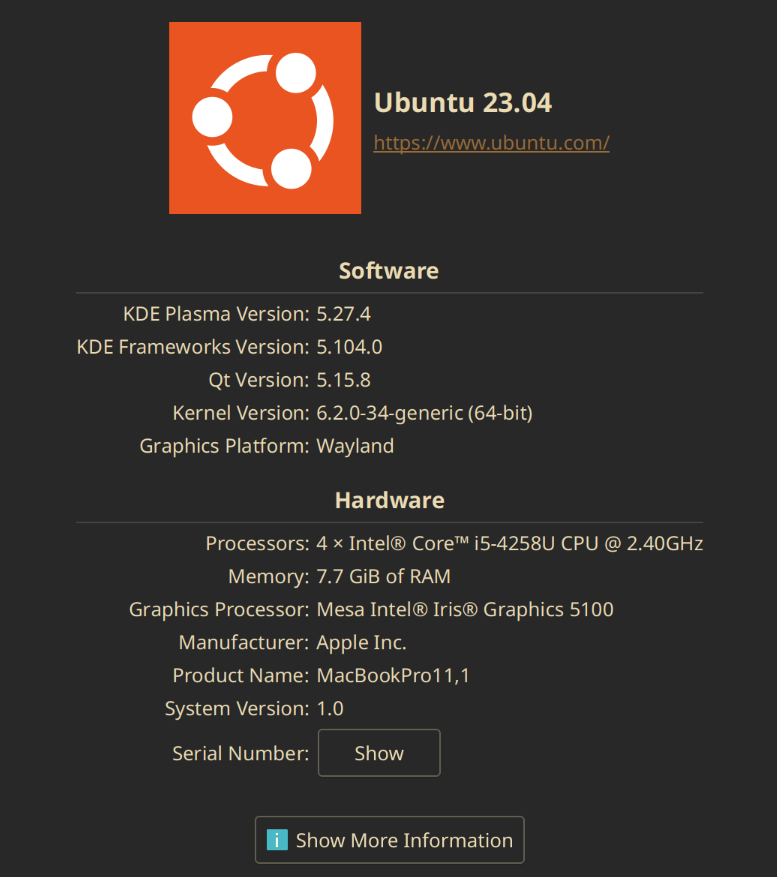
Recently I had to return the laptop from my workplace, and was briefly left without a working laptop. Luckily (that’s what I thought at the time), we had a spare old 2013 macbook laying at home with an upgraded battery and a 256 GB SSD. The only problem was – it had MacOS installed. Now, I don’t really have a problem with using MacOS, in fact I had to daily-drive it for the past 8+ years, as most of the time I was using a work-issued laptop, which unsurprisingly ran MacOS. But this time I thought, wouldn’t it be fun to try and install a working Linux distro on this old macbook? I mean, it’s not like I have anything better to do on a weekend, right? What followed was a journey of pain, suffering, surfing 8 years old forum posts, with occasional glimpses of hope and joy, which made the entire experience worth it. Some of the problems I encountered were really Mac-hardware specific, while the others had to do with the rather early stage of Wayland protocol and the HiDPI support in general in Linux (worsened by the disinterest of corporate software developers in spending at least some time on making sure their product works on not-so-widely-used OS-s).

I installed Linux on a 10 year-old Macbook and I loved ithttps://haykh.github.io/tilde/devlog/2023/10/17/linux-old-macbook-or-how-i-killed-a-weekend/Open linkView original on lemmy.ml
141

You reached the end