Spyke

Posts

visualnovels·Visual NovelsbySpectacle8011

GOG New Year 2024 Sale (386 VNs on sale until 5th of February)

GOG, the DRM-free game store, is having a new year sale until February 5th. It includes discounts up to 90% off, and encompasses over 4600 games and 386 visual novels.

Here are some interesting picks:

Yuri:

::: spoiler NSFW or Rated 18+:


And there are plenty more on sale!

https://www.gog.com/en/promo/2024_new_year_sale?tags=visual-novelOpen linkView original on lemmy.comfysnug.space
1
visualnovels·Visual NovelsbySpectacle8011

MangaGamers' New Beginnings Sale

MangaGamer is having a sale for many of their games until January 31st, up to 60% off. This sale is also happening on Steam if you prefer to buy your games there.

Some notable dual-language titles:

Some big sales (these games are English-only):

There are also some Drama CDs for sale.

https://mangagamer.org/newbeginnings/Open linkView original on lemmy.comfysnug.space
1
visualnovels·Visual NovelsbySpectacle8011

Bizarre Steam Releases (Subahibi/Wonderful Everyday)

Subarashiki Hibi (Wonderful Everyday in English) was released by Frontwing in 2017 following a successful Kickstarter campaign. It was released on Steam and JAST.

With one catch: the Steam release only includes the first chapter of seven.

In my experience, it takes about 6 hours to play the first chapter, and the other 6 chapters take another 54 hours to complete. Essentially, 90% of the game is missing. The reason the game was released on Steam in this incomplete state is due to the adult content present in the other chapters. Certain adult content is not allowed on Steam. Not that chapter 1 is free of adult content anyway...

So, Frontwing offers the other 90% of the game as a patch you need to manually apply to the Steam game. You need to find out about this patch's existence from this vague Steam announcement (the store page doesn't mention this at all). If you play through all the routes in chapter 1, there's nothing to suggest you haven't just played the entire game. You get a pretty end credits scene and you're kicked back to the title screen. Because every chapter has its own ending theme.

This announcement links to their Kickstarter Updates page. Because there are 58 updates on the page, you need to click "Load More" 3 times to find this page. It tells you that you then need to go to this special page to download the patch from JAST. If you clicked the link, you'll notice that it doesn't work anymore.

That's because the link was changed a year or so ago and doesn't redirect. The patch is now offered on this page. I did not discover this from any of Frontwing's announcements. I found this out from the comments section of a community guide on the Steam forums.

The instructions on the JAST page are wrong, too. It tells you to "Extract the patch files from the archive and run ".exe" file to install the patch." What you actually need to do is go to the game's Steam folder and replace all the .arc files with the ones from the patch folder.

I wouldn't say this is easy to find. Some people can't find it. It's scary to imagine how many people don't know this patch exists at all...

If you want to play Subahibi (it's a great game, seriously, play it), it makes sense to just buy it from JAST instead. They give you the entire game and it just works, no patching required. Though, fair warning that these releases are only in English (no Japanese option), and there's a lot of disturbing sexual content. The second chapter in particular has various kinds of disturbing sexual content. So much that I can't enumerate it all... The game is also very dark. But hey, it's a kamige, and I thought it was a good read...mostly in spite of that stuff.

This is easily the worst experience I've ever had on Steam. Are there other strange Steam releases like this where you need to scour the web for the rest of the game? I want to know! Or, conversely, has a Steam release actually been better than a GOG/JAST/MangaGamer store release?


View original on lemmy.comfysnug.space
1
visualnovels·Visual NovelsbySpectacle8011

VNDB now has a DRM field

cross-posted from: https://lemmy.comfysnug.space/post/432866

This feature proposal from the VNDB beta has made it into the live site! We can now start tagging VNs known to have DRM:

Alrighty, still not really polished or finished yet, but it doesn't look like the main data model or guidelines will change much so I've pushed it live now.

If you want to filter for DRM-free visual novel releases, you can do that now.

I consider this mission accomplished. \o/

The wording "Digital Restrictions Management" was almost snuck into the guidelines proposal, and unfortunately I can't claim to have had anything to do with that :)

The official guidelines are available here. Interestingly, the final wording is:

Some releases have DRM (Digital Rights Management or, more accurately, Restrictions Management)

Now for the fun part: documenting which releases are encumbered with DRM. If you know one of the VNs you've purchased has DRM or is DRM-free, please help by editing the VNDB releases entry to reflect this!

Hopefully, we'll all be able to make more informed purchasing decisions now.

https://vndb.org/t20399.70Open linkView original on lemmy.comfysnug.space
2
visualnovels·Visual NovelsbySpectacle8011

VNDB now has a DRM field

This feature proposal from the VNDB beta has made it into the live site! We can now start tagging VNs known to have DRM:

Alrighty, still not really polished or finished yet, but it doesn't look like the main data model or guidelines will change much so I've pushed it live now.

If you want to filter for DRM-free visual novel releases, you can do that now.

I consider this mission accomplished. \o/

The wording "Digital Restrictions Management" was almost snuck into the guidelines proposal, and unfortunately I can't claim to have had anything to do with that :)

The official guidelines are available here. Interestingly, the final wording is:

Some releases have DRM (Digital Rights Management or, more accurately, Restrictions Management)

Now for the fun part: documenting which releases are encumbered with DRM. If you know one of the VNs you've purchased has DRM or is DRM-free, please help by editing the VNDB releases entry to reflect this!

Hopefully, we'll all be able to make more informed purchasing decisions now.

https://vndb.org/t20399.70Open linkView original on lemmy.comfysnug.space
1
visualnovels·Visual NovelsbySpectacle8011

DRM Field Support Added to VNDB Beta

Yorhel added preliminary DRM support to the VNDB beta site on September 12th, 2023.

The goal of this beta - aside from some testing - is to pre-seed the list of DRM types. So go ahead and add and edit DRM types and figure out how to best name and document them. While I can easily transfer the list of DRM types to the main site when it goes live, I'll probably not transfer the DRM info added to releases, so don't go overboard with that yet.

List of all known DRM types: https://beta.vndb.org/r/drm

If you've encountered a type of DRM that isn't listed here, please add it! However, don't bother with documenting which releases are encumbered with DRM just yet, as this data won't make it over to the real site.

This feature has been in Beta for three weeks and it seems pretty close to releasing. Outstanding issues:

  • It's possible to search releases by DRM type, but not yet by DRM property
  • Guidelines & documentation (some progress has been made, but it's not done yet).
https://vndb.org/t20399.36Open linkView original on lemmy.comfysnug.space
1

Google Launches Project IDX, A web-based IDE

What if your dev experience was entirely in the cloud?

These days, launching applications means navigating an endless sea of complexity. We felt this pain at Google, so we started Project IDX, an experimental new initiative aimed at bringing your entire full-stack, multiplatform app development workflow to the cloud.

Project IDX gets you into your dev workflow in no time, backed by the security and scalability of Google Cloud.

Project IDX lets you preview your full-stack, multiplatform apps as your users would see them, with upcoming support for built-in multi-browser web previews, Android emulators, and iOS simulators.

As a Vim fanatic, I can't say I'll ever feel comfortable working in a browser, but some parts of IDX seem interesting. I wonder what the implications are for proprietary code.

I do think it solves an interesting problem where you're working on your desktop and decide to move to your laptop and continue working on the same codebase, but don't want to commit early so you can pull down the changes to your laptop.

It reminds me vaguely of Shells.

Google Launches Project IDX, A web-based IDEhttps://idx.dev/Open linkView original on lemmy.comfysnug.space
129
visualnovels·Visual NovelsbySpectacle8011

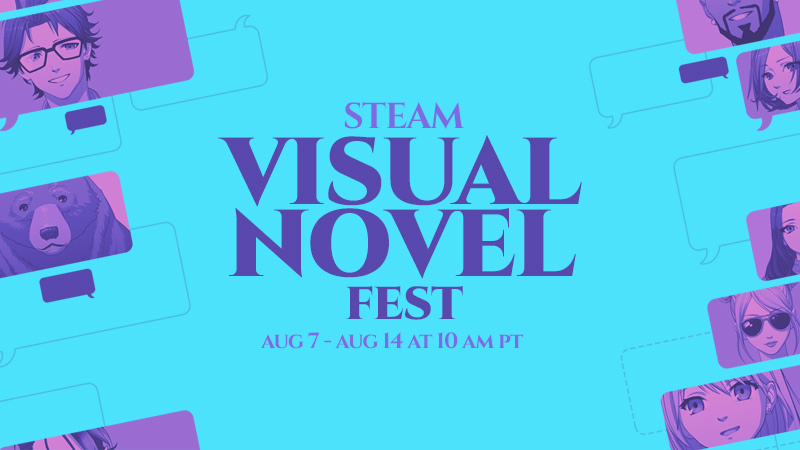
Visual Novel Fest Sale on Steam

There are over 1,000 games tagged "Visual Novel" for sale on Steam until August 14th.

Here are some notable dual-language titles:

Localization-only releases (i.e. they don't include the original Japanese script):

There are plenty of other great games here, too. It's a huge sale. I recommend Muv-Luv.

Visual Novel Fest Sale on Steamhttps://store.steampowered.com/category/visual_novel/Open linkView original on lemmy.comfysnug.space
17
japaneselanguage·Japanese LanguagebySpectacle8011

[Guide] Playing Visual Novels on GNU/Linux

We've been working on a guide to help players on all major GNU/Linux distributions play visual novels for the past few weeks. The main focus is on getting Japanese-only visual novels to work, because they tend to be much quirkier.

This guide is designed to be used by both beginners and experts, with minimal need to touch the command line.

openSUSE wins the award for "never had to touch the terminal" and "simplest setup instructions", but Fedora is a close second.

While there are a few existing visual novel guides for GNU/Linux around, we've tried to fill in the gaps we noticed. We've put a lot of research into this guide and ensured it is accurate while remaining simple and approachable.

If you're interested, start here!

We have an extensive Troubleshooting section on our Problems page if you're having trouble getting visual novels to work, too.


I wrote this guide with a lot of help from two other people, including /u/[email protected]. It’s available on our community wiki, https://wiki.comfysnug.space. As with all pages on our wiki, it’s licensed under Creative Commons Attribution-ShareAlike 4.0, meaning you’re free to share, remix, and build on the content as long as you credit us.

We also have some other pages you may find useful:

  • If you're looking for something to play, check out our Recommendations page.
  • If you want to know where and how to buy a visual novel you want to play, our comprehensive Buying page will help you out.
  • And if you want to read a visual novel in Japanese, our Reading in Japanese page offers a lot of advice and points you to some useful software to make the process easier.
https://wiki.comfysnug.space/doku.php?id=visualnovel:vnsonlinuxOpen linkView original on lemmy.comfysnug.space
17

[Guide] Playing Visual Novels on GNU/Linux

cross-posted from: https://lemmy.comfysnug.space/post/138679

We've been working on a guide to help players on all major GNU/Linux distributions play visual novels for the past few weeks. This guide is designed to be used by both beginners and experts, with minimal need to touch the command line.

openSUSE wins the award for "never had to touch the terminal" and "simplest setup instructions", but Fedora is a close second.

While there are a few existing visual novel guides for GNU/Linux around, we've tried to fill in the gaps we noticed. We've put a lot of research into this guide and ensured it is accurate while remaining simple and approachable.

If you're interested, start here!

We have an extensive Troubleshooting section on our Problems page if you're having trouble getting visual novels to work, too.


I wrote this guide with a lot of help from two other people, including /u/[email protected]. It’s available on our community wiki, https://wiki.comfysnug.space. As with all pages on our wiki, it’s licensed under Creative Commons Attribution-ShareAlike 4.0, meaning you’re free to share, remix, and build on the content as long as you credit us.

We also have some other pages you may find useful:

  • If you're looking for something to play, check out our Recommendations page.
  • If you want to know where and how to buy a visual novel you want to play, our comprehensive Buying page will help you out.
  • And if you want to read a visual novel in Japanese, our Reading in Japanese page offers a lot of advice and points you to some useful software to make the process easier.
https://wiki.comfysnug.space/doku.php?id=visualnovel:vnsonlinuxOpen linkView original on lemmy.comfysnug.space
28

[Guide] Playing Visual Novels on GNU/Linux

cross-posted from: https://lemmy.comfysnug.space/post/138679

We've been working on a guide to help players on all major GNU/Linux distributions play visual novels for the past few weeks. This guide is designed to be used by both beginners and experts, with minimal need to touch the command line.

openSUSE wins the award for "never had to touch the terminal" and "simplest setup instructions", but Fedora is a close second.

While there are a few existing visual novel guides for GNU/Linux around, we've tried to fill in the gaps we noticed. We've put a lot of research into this guide and ensured it is accurate while remaining simple and approachable.

If you're interested, start here!

We have an extensive Troubleshooting section on our Problems page if you're having trouble getting visual novels to work, too.


I wrote this guide with a lot of help from two other people, including /u/[email protected]. It’s available on our community wiki, https://wiki.comfysnug.space. As with all pages on our wiki, it’s licensed under Creative Commons Attribution-ShareAlike 4.0, meaning you’re free to share, remix, and build on the content as long as you credit us.

We also have some other pages you may find useful:

  • If you're looking for something to play, check out our Recommendations page.
  • If you want to know where and how to buy a visual novel you want to play, our comprehensive Buying page will help you out.
  • And if you want to read a visual novel in Japanese, our Reading in Japanese page offers a lot of advice and points you to some useful software to make the process easier.
https://wiki.comfysnug.space/doku.php?id=visualnovel:vnsonlinuxOpen linkView original on lemmy.comfysnug.space
2

[Guide] Playing Visual Novels on GNU/Linux

cross-posted from: https://lemmy.comfysnug.space/post/138679

We've been working on a guide to help players on all major GNU/Linux distributions play visual novels for the past few weeks. This guide is designed to be used by both beginners and experts, with minimal need to touch the command line.

openSUSE wins the award for "never had to touch the terminal" and "simplest setup instructions", but Fedora is a close second.

While there are a few existing visual novel guides for GNU/Linux around, we've tried to fill in the gaps we noticed. We've put a lot of research into this guide and ensured it is accurate while remaining simple and approachable.

If you're interested, start here!

We have an extensive Troubleshooting section on our Problems page if you're having trouble getting visual novels to work, too.


I wrote this guide with a lot of help from two other people, including /u/[email protected]. It’s available on our community wiki, https://wiki.comfysnug.space. As with all pages on our wiki, it’s licensed under Creative Commons Attribution-ShareAlike 4.0, meaning you’re free to share, remix, and build on the content as long as you credit us.

We also have some other pages you may find useful:

  • If you're looking for something to play, check out our Recommendations page.
  • If you want to know where and how to buy a visual novel you want to play, our comprehensive Buying page will help you out.
  • And if you want to read a visual novel in Japanese, our Reading in Japanese page offers a lot of advice and points you to some useful software to make the process easier.
https://wiki.comfysnug.space/doku.php?id=visualnovel:vnsonlinuxOpen linkView original on lemmy.comfysnug.space
12

[Guide] Playing Visual Novels on GNU/Linux

cross-posted from: https://lemmy.comfysnug.space/post/138679

We've been working on a guide to help players on all major GNU/Linux distributions play visual novels for the past few weeks. This guide is designed to be used by both beginners and experts, with minimal need to touch the command line.

openSUSE wins the award for "never had to touch the terminal" and "simplest setup instructions", but Fedora is a close second.

While there are a few existing visual novel guides for GNU/Linux around, we've tried to fill in the gaps we noticed. We've put a lot of research into this guide and ensured it is accurate while remaining simple and approachable.

If you're interested, start here!

We have an extensive Troubleshooting section on our Problems page if you're having trouble getting visual novels to work, too.


I wrote this guide with a lot of help from two other people, including /u/[email protected]. It’s available on our community wiki, https://wiki.comfysnug.space. As with all pages on our wiki, it’s licensed under Creative Commons Attribution-ShareAlike 4.0, meaning you’re free to share, remix, and build on the content as long as you credit us.

We also have some other pages you may find useful:

  • If you're looking for something to play, check out our Recommendations page.
  • If you want to know where and how to buy a visual novel you want to play, our comprehensive Buying page will help you out.
  • And if you want to read a visual novel in Japanese, our Reading in Japanese page offers a lot of advice and points you to some useful software to make the process easier.
https://wiki.comfysnug.space/doku.php?id=visualnovel:vnsonlinuxOpen linkView original on lemmy.comfysnug.space
15
visualnovel·Visual NovelbySpectacle8011

[Guide] Playing Visual Novels on GNU/Linux

cross-posted from: https://lemmy.comfysnug.space/post/138679

We've been working on a guide to help players on all major GNU/Linux distributions play visual novels for the past few weeks. This guide is designed to be used by both beginners and experts, with minimal need to touch the command line.

openSUSE wins the award for "never had to touch the terminal" and "simplest setup instructions", but Fedora is a close second.

While there are a few existing visual novel guides for GNU/Linux around, we've tried to fill in the gaps we noticed. We've put a lot of research into this guide and ensured it is accurate while remaining simple and approachable.

If you're interested, start here!

We have an extensive Troubleshooting section on our Problems page if you're having trouble getting visual novels to work, too.


I wrote this guide with a lot of help from two other people, including /u/[email protected]. It’s available on our community wiki, https://wiki.comfysnug.space. As with all pages on our wiki, it’s licensed under Creative Commons Attribution-ShareAlike 4.0, meaning you’re free to share, remix, and build on the content as long as you credit us.

We also have some other pages you may find useful:

  • If you're looking for something to play, check out our Recommendations page.
  • If you want to know where and how to buy a visual novel you want to play, our comprehensive Buying page will help you out.
  • And if you want to read a visual novel in Japanese, our Reading in Japanese page offers a lot of advice and points you to some useful software to make the process easier.
https://wiki.comfysnug.space/doku.php?id=visualnovel:vnsonlinuxOpen linkView original on lemmy.comfysnug.space
2
visualnovels·Visual NovelsbySpectacle8011

[Guide] Playing Visual Novels on GNU/Linux

cross-posted from: https://lemmy.comfysnug.space/post/138679

We've been working on a guide to help players on all major GNU/Linux distributions play visual novels for the past few weeks. This guide is designed to be used by both beginners and experts, with minimal need to touch the command line.

openSUSE wins the award for "never had to touch the terminal" and "simplest setup instructions", but Fedora is a close second.

While there are a few existing visual novel guides for GNU/Linux around, we've tried to fill in the gaps we noticed. We've put a lot of research into this guide and ensured it is accurate while remaining simple and approachable.

If you're interested, start here!

We have an extensive Troubleshooting section on our Problems page if you're having trouble getting visual novels to work, too.


I wrote this guide with a lot of help from two other people, including /u/[email protected]. It’s available on our community wiki, https://wiki.comfysnug.space. As with all pages on our wiki, it’s licensed under Creative Commons Attribution-ShareAlike 4.0, meaning you’re free to share, remix, and build on the content as long as you credit us.

We also have some other pages you may find useful:

  • If you're looking for something to play, check out our Recommendations page.
  • If you want to know where and how to buy a visual novel you want to play, our comprehensive Buying page will help you out.
  • And if you want to read a visual novel in Japanese, our Reading in Japanese page offers a lot of advice and points you to some useful software to make the process easier.
https://wiki.comfysnug.space/doku.php?id=visualnovel:vnsonlinuxOpen linkView original on lemmy.comfysnug.space
3
visualnovels·Visual NovelsbySpectacle8011

[Guide] Playing Visual Novels on GNU/Linux

We've been working on a guide to help players on all major GNU/Linux distributions play visual novels for the past few weeks. This guide is designed to be used by both beginners and experts, with minimal need to touch the command line.

openSUSE wins the award for "never had to touch the terminal" and "simplest setup instructions", but Fedora is a close second.

While there are a few existing visual novel guides for GNU/Linux around, we've tried to fill in the gaps we noticed. We've put a lot of research into this guide and ensured it is accurate while remaining simple and approachable.

If you're interested, start here!

We have an extensive Troubleshooting section on our Problems page if you're having trouble getting visual novels to work, too.


I wrote this guide with a lot of help from two other people, including /u/[email protected]. It’s available on our community wiki, https://wiki.comfysnug.space. As with all pages on our wiki, it’s licensed under Creative Commons Attribution-ShareAlike 4.0, meaning you’re free to share, remix, and build on the content as long as you credit us.

We also have some other pages you may find useful:

  • If you're looking for something to play, check out our Recommendations page.
  • If you want to know where and how to buy a visual novel you want to play, our comprehensive Buying page will help you out.
  • And if you want to read a visual novel in Japanese, our Reading in Japanese page offers a lot of advice and points you to some useful software to make the process easier.
https://wiki.comfysnug.space/doku.php?id=visualnovel:vnsonlinuxOpen linkView original on lemmy.comfysnug.space
8
japaneselanguage·Japanese LanguagebySpectacle8011

There's a 4-page manga about the Wikipedia mascot, Wikipe-tan

Wikipe-tan has been the (cutest) unofficial mascot for Wikipedia since 2006. This manga was posted to PIxiv and Wikipedia in 2010 by Kasuga, where he said this:

二年ぐらい昔に、後輩の合同誌で描いたウィキペたん漫画。 (「ウィキペたん」が何か知らない人は、ウィキペディアで検索だ) こんなもん再利用する人はいないと思いますが、 「クリエイティブ・コモンズ 表示-継承 3.0」のライセンスで配布してます。 http://creativecommons.org/licenses/by-sa/3.0/deed.ja

しかし、この子ってこういうキャラだったんだね。

The pages on Wikipedia:

  1. https://commons.wikimedia.org/wiki/File:Wikipe-tan_manga_page1.jpg
  2. https://commons.wikimedia.org/wiki/File:Wikipe-tan_manga_page2.jpg
  3. https://commons.wikimedia.org/wiki/File:Wikipe-tan_manga_page3.jpg
  4. https://commons.wikimedia.org/wiki/File:Wikipe-tan_manga_page4.jpg
View original on lemmy.comfysnug.space
22
visualnovel·Visual NovelbySpectacle8011

Seiya-Saiga lists whether a physical VN runs "diskless", or without DRM

cross-posted from: https://lemmy.comfysnug.space/post/88408

Today I learned that Saiya-Saiga has a ディスクレス field for all the visual novels listed on the site. The field essentially labels whether the release is encumbered by DRM or not; whether it performs a check to ensure the disk is in the drive on first startup.

If the developer has provided a DRM-removal patch, as in the case of August with Aiyoku no Eustia, that is also listed with a link to download it.

This should be very useful for players looking for DRM-Free releases.

https://seiya-saiga.com/game/kouryaku.htmlOpen linkView original on lemmy.comfysnug.space
1
visualnovels·Visual NovelsbySpectacle8011

Seiya-Saiga lists whether a physical VN runs "diskless", or without DRM

cross-posted from: https://lemmy.comfysnug.space/post/88408

Today I learned that Saiya-Saiga has a ディスクレス field for all the visual novels listed on the site. The field essentially labels whether the release is encumbered by DRM or not; whether it performs a check to ensure the disk is in the drive on first startup.

If the developer has provided a DRM-removal patch, as in the case of August with Aiyoku no Eustia, that is also listed with a link to download it.

This should be very useful for players looking for DRM-Free releases.

https://seiya-saiga.com/game/kouryaku.htmlOpen linkView original on lemmy.comfysnug.space
1
visualnovels·Visual NovelsbySpectacle8011

Seiya-Saiga lists whether a physical VN runs "diskless", or without DRM

Today I learned that Saiya-Saiga has a ディスクレス field for all the visual novels listed on the site. The field essentially labels whether the release is encumbered by DRM or not; whether it performs a check to ensure the disk is in the drive on first startup.

If the developer has provided a DRM-removal patch, as in the case of August with Aiyoku no Eustia, that is also listed with a link to download it.

This should be very useful for players looking for DRM-Free releases.

https://seiya-saiga.com/game/kouryaku.htmlOpen linkView original on lemmy.comfysnug.space
4