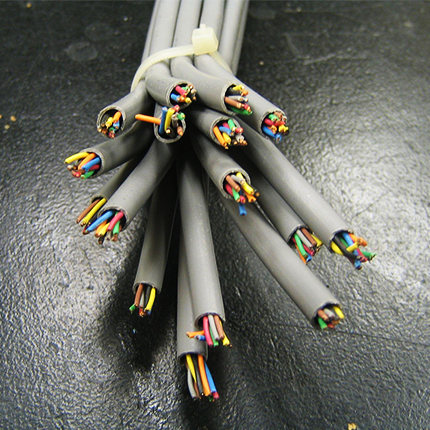
Why backend web development is rage inducing
The reason why its rage inducing is because its the equivalent of someone giving you a gun which has 30 different safeties and nobody ever tells you where the safeties are. You can never fire it!
I'm currently building a small website as my online portfolio and blog, with some fun stuff like making it explorable as a side-scroller "game" (I gaven't enabled that functionality yet), and as part of documenting the process, I'm trying to write short blog posts that cover some of the tools and decisions I'm making along the way.
This post is about how I decided to write the site's content using Markdown in order to write using Obsidian, and how I then turn that Markdown code into clean, modern HTML "on the fly".
Please note that the site itself is still very much a work in progress.
Share your favourite (Tiny) websites, sign-up for when the voting opens, build your own!
https://fredrocha.net/2026/06/09/nominations-for-the-best-tiny-website-of-2026-are-open/Open linkView original on lemmy.worldBuilt ELI6 Movies as a side project to push how far a free-tier stack can go.
Tech:
Interesting bits:
Happy to answer questions about the architecture.
https://eli6movies.vercel.app/Open linkView original on lemmy.worldI recently decided to ditch my ancient WordPress portfolio and build a new site from scratch.
Because I wanted to show off a little bit, I decided I wanted to make it into a 2D side-scroller using Little.js. The issue was figuring out how I could keep the site accessible.
I just wrote the first blog post in a series on how I am making that very site.
The site is still a work in progress; but I felt this could interest people here. And it gives me a chance to test out the blog feature I just coded in.
Been working on this for a few months. ELI6 Movies is a full-stack streaming webapp:
Full write-up on dev.to: https://dev.to/eli6_4649fc5be59e2aeb2736/i-built-a-free-streaming-site-from-scratch-no-ads-no-framework-no-bs-32o6
Would love feedback — what would you have done differently?
Hey all! Got something I'd appreciate your opinions on in regards to the tech stack I'm planning to use:
The web app in question is a sort of project-management tool. Broadly, users will need to be able to:
In your opinion, is a MERN stack right for this? A web app that focuses heavily on user interactivity, with a lot of reusable components in the front end (I designed with that in mind). Would PERN be better? Would a totally different stack be your choice?
I've worked full time in web for over a decade, but mostly focused on PHP. I've built some stuff in React but am not particularly experienced with it.
I've recently become dissatisfied with my role, and want to move into something a little different (and with a bit of a nicer paycheck to boot!). I've become interested in React agan.
With that in mind, I've made contact with somebody who was conveniently in need of something developing, but not urgently.
I've communicated that I'll not promise anything and won't take money for the work, but can walk through a wireframe/design/development process with them for free as part of upskilling on my side, and that I'm happy to provide support if they choose to reach out to an agency for development at any point on their side (just making sure all my cards are on the table, I'm not overpromising, taking money for a project I can't deliver, or in any way deceiving them of course).
I've done similar before for projects I'm interested in so all good. We're in good spirits and the work has gone well so far.
Thank you! Apologies if this isn't the right place to post something like this 🙏
Hey folks 👋
I built this as a quick way to share snippets of text, URLs, or code without needing logins, bookmarks, or chat apps. Just paste, set an expiry, and boom — anyone with the link can view or reply.
It's super lightweight and built with privacy in mind.
I'm a BTech student who wanted to make something useful and fast — would love to know what you think 🙌
Live here → https://zyncshare.vercel.app/
Rob is a web industry veteran and his ideas are extremely relevant for the days we live in today. We need a refocus, and a sense of community in the design / web development world.
https://robbowen.digital/wrote-about/looking-elsewhere/Open linkView original on lemmy.worldI dream of a web that fosters healthy conversations, together with personal and intellectual growth. The world is diverse and fascinating, and we can be information explorers together.
https://fredrocha.net/2025/05/21/small-web-is-beautiful/Open linkView original on lemmy.worldYou may hate me for this, but this is what’s really going on. I love JS/TS and Node but the world is built in economies of scale not in love for programming languages… and PHP is the best when it comes to cheap scaling.
Really hope someone at Node decides to make it fast-cgi compatible in a nice way.
https://tadeubento.com/2025/why-php-still-isnt-dead/Open linkView original on lemmy.worldIf you're starting out making a website work on mobile, the viewport meta tag is important.
My website looked so much smaller on mobile than if I just made the browser window thinner and I had no idea why. I looked it up, and most of the answers suggested using the @media (width) query to target thin screens. There were also some that suggested the viewport meta tag, but I didn't know what that was, so I thought "pfft that won't work" and ignored it.
So I tried using @media to make the font bigger if the screen width was below 500px. That solved the problem for mobile, but made the text in my thin desktop browser window huge. So I kept looking, eventually found the viewport meta tag again, tried it out of desperation, and everything just worked.
<meta name="viewport" content="width=device-width, initial-scale=1" />
This tag goes between <head> and </head> in your html file. (More information)
The problem was that mobile browsers, if they don't see a meta viewport tag, scales everything down, including the size of a px, etc. The content="width=device-width part tells the browser to not scale things down. The initial-scale=1 part is not important in this scenario, but a bunch of answers include it with content=, so I might as well explain it. It makes the browser's pinch-gesture zoom level be set to 1, which is the default anyways, so theoretically it won't make a difference if you take it out.
For a more detailed explation, see https://developer.mozilla.org/en-US/docs/Web/HTML/Viewport_meta_tag
I think a lot of guides for responsive web design/mobile-friendly web design don't mention this, or only put it towards the end. Which is not that great. Surely it's not just me that struggled for so long with @media to no avail.
text-size-adjustAnother thing I noticed was the font would get bigger if I made my phone landscape. But not the font of the entire page, only the default body text font, so everything was not only bigger than necessary but also out of proportion. After looking it up again, I found this answer that suggested using text-size-adjust.
I put text-size-adjust: none; into my css, and it didn't work. I then tried the browser-specific versions suggested in the answer, and also set them to 100%.
-webkit-text-size-adjust: 100%;
-moz-text-size-adjust: 100%;
-ms-text-size-adjust: 100%;
That worked!
// End.
🚀 Built my own toolbox of 10 free, browser-based dev tools – no sign-up, no install, no distractions.
🧰 Tools included:
• JSON Formatter & Cleaner
• Password Generator
• Text Case Converter
• Regex Tester
• HTML Entities Encoder/Decoder
• URL & Base64 Encoder/Decoder
• Lorem Ipsum Generator
• Text Cleaner
• Hex to RGB Converter
🌐 Try them here: https://www.jscripted.com/devbox
Let me know if there's a tool you want added!
🚀 Built my own toolbox of 10 free, browser-based dev tools – no sign-up, no install, no distractions.
🧰 Tools included:
• JSON Formatter & Cleaner
• Password Generator
• Text Case Converter
• Regex Tester
• HTML Entities Encoder/Decoder
• URL & Base64 Encoder/Decoder
• Lorem Ipsum Generator
• Text Cleaner
• Hex to RGB Converter
🌐 Try them here: https://www.jscripted.com/devbox
Let me know if there's a tool you want added!