


Using binomial functions to estimate the relative value of individual presidential votes between states
Does the description I wrote below describe a correct use of Excel's binomial functions?
cross-posted from: https://lemmy.crimedad.work/post/149658
Not completely sure I'm doing it right, but a 2:1 safe state for swing state swap seems like a bad deal. Here's my reasoning:
- In New Jersey, as an example of a safe state for Harris, Fivethirtyeight has Harris winning in 993 out of 1000 simulated elections. Assuming the same turnout as 2020 of 4,549,457 votes, there's a 0.500546 chance, on average, that a NJ voter will vote for Harris. I figured that out using the BINOM.DIST.RANGE function and the Goal Seek tool in Excel.
- In Michigan, with a turnout of 5,539,302 voters in 2020, Harris wins in only 605 out of 1000 simulations. Using the same tools above, if you randomly picked any Michigan voter, there's a 0.500059 chance that he or she is voting for Harris.
- Using the BINOMDIST function with the assumed turnouts and the chances we determined that voters in each of the above states would go for Harris, there's a 3.25986e-4 chance that Michigan is decided by a single vote. Likewise, there's a 2.47681e-5 chance for the same in NJ. Based on the probability that it could shift electoral college votes, a Michigan ballot is distinctly more powerful than an NJ one.
- If you could could reliably convince one more person to vote like you in NJ, your chances of affecting the NJ outcome only increase to 2.48222e-5.
- For an NJ voter to match their chances of affecting the Michigan outcome, they would have to command about 1,925 votes besides their own. In other words, there's an almost equal chance of a single vote Harris victory in MI as a 1,926 vote victory in NJ.
- Therefore, if a Michigan voter values their power, they should not trade their vote for anything less than 1,926 New Jersey votes. The rate should actually be greater to account for welching and Michigan having one more electoral vote than NJ.
Am I missing something?
cross-posted from: https://lemmy.ml/post/22156613
cross-posted from: https://lemmy.ml/post/22156612
Matt Sledge
November 4 2024, 1:56 p.m.#
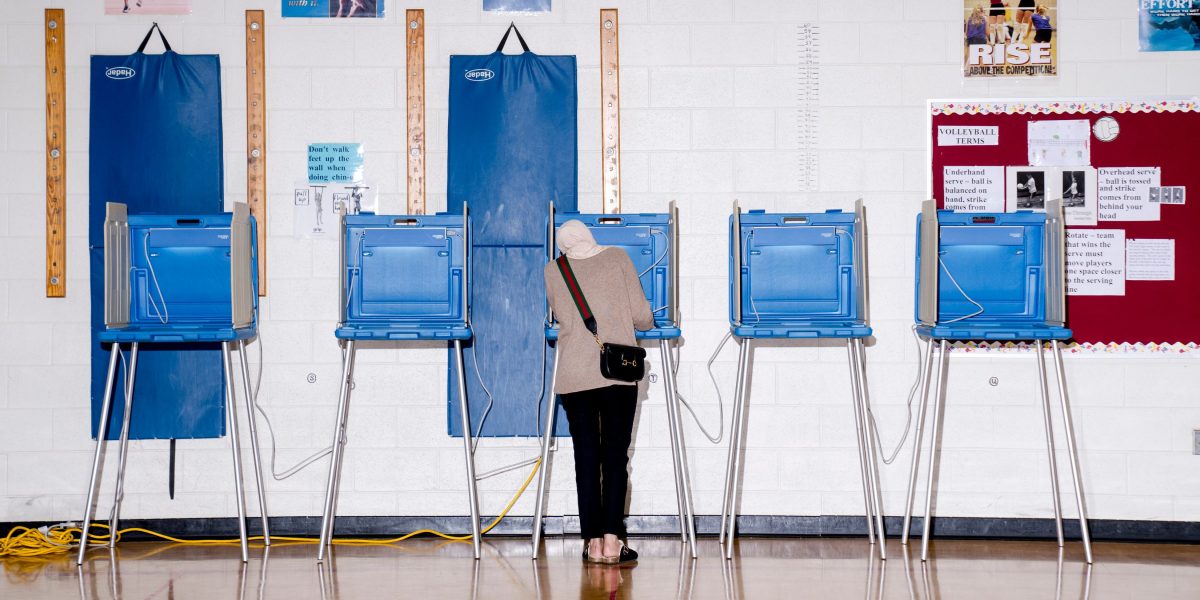 https://theintercept.com/2024/11/04/swing-state-vote-swap-kamala-harris-israel-gaza/Open linkView original on lemmy.crimedad.work
Office LTSC 2024 is now available
General availability to all customers to begin October, 2024
 https://techcommunity.microsoft.com/t5/microsoft-365-blog/office-ltsc-2024-is-now-available/ba-p/4244953Open linkView original on lemmy.world

What's New in Excel (April 2024)
IMHO same as previous month. Not much. Some usual improvements to web version, some new copilot AI.
For the latter in some way it's cool for non advanced users but in others what would be their ability to check for complex formulas if there is no shortcomings in what copilot proposed or what they asked.
Summary from article :
Generating multiple formula columns, creating complex formula columns that span across multiple tables, and new ways to engage with Copilot in Excel are now available to Excel users on web and Windows. Copying and pasting improvements and sharing links to sheet views are also available in Excel for the web, and the ink to text pen is rolling out to Insiders running Excel for Windows.
 https://techcommunity.microsoft.com/t5/excel-blog/what-s-new-in-excel-april-2024/ba-p/4103549Open linkView original on lemm.ee


X-axis labels (format axis) don't move anymore.
I’ve been making charts forever and whenever the data is negative, I move the x-axis labels to bottom-centre to get them out of the way of the bars. Suddenly, this isn’t working anymore.
I choose ‘bottom-centre’ or ‘middle’ and they just don’t move.
Any suggestions?
Attached is a Google pic of what it should be doing. Note the x-axis labels are at the bottom (A, B, C, D etc). I can’t move mine at all.
No, the options to move the labels aren’t greyed out. They’re selectable, they just do nothing.
EDIT: Fixed. It’s been moved to Labels > Labels Position. There must have been an update.