
Yazi - Blazing fast terminal file manager written in Rust, based on async I/O
Can't imagine using my system without this.
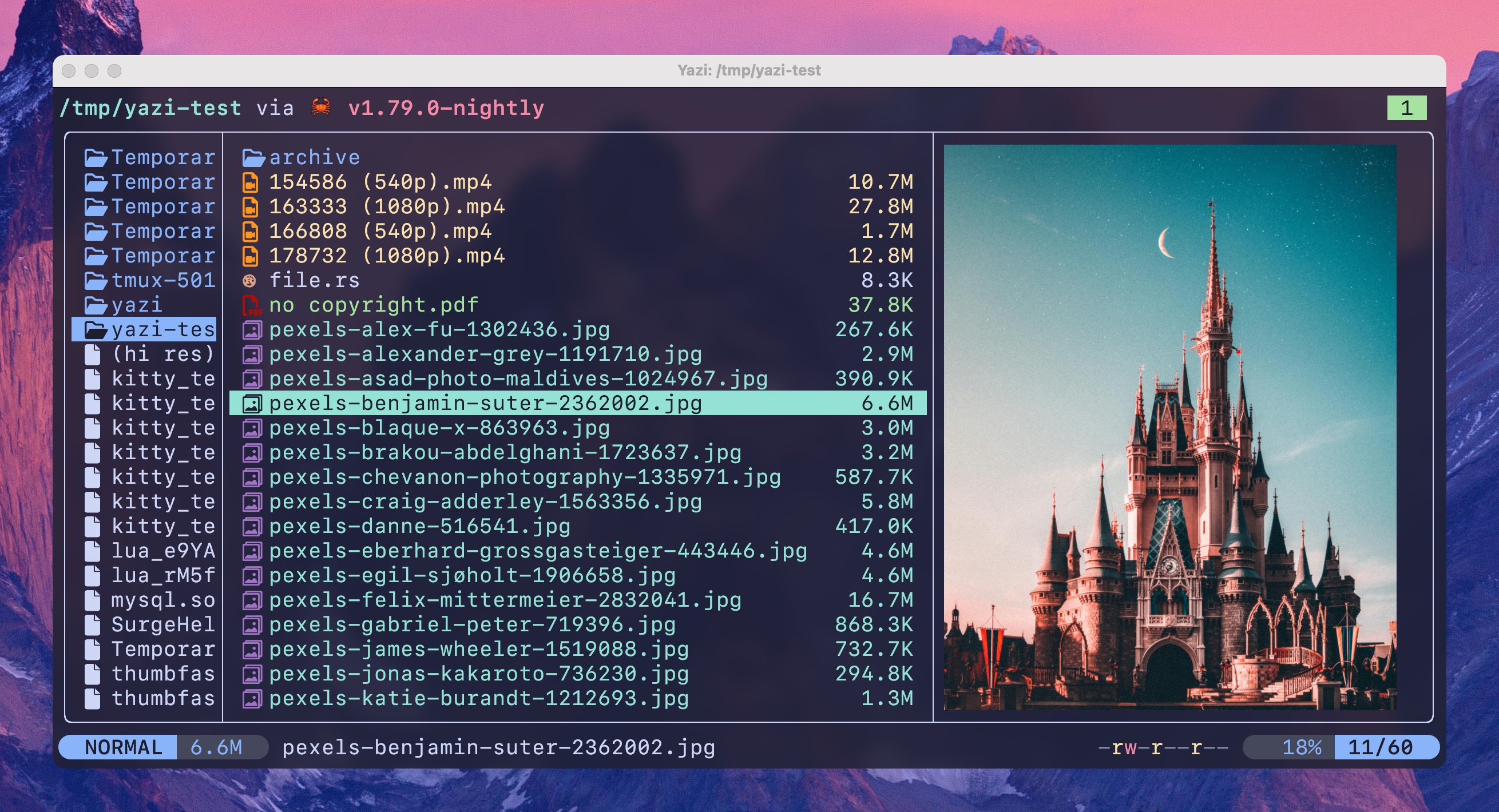 https://github.com/sxyazi/yaziOpen linkView original on lemmy.zip
Syndicated from the fediverse. Read and engage on the original instance.
View original on lemmy.zipCan't imagine using my system without this.
https://github.com/sxyazi/yaziOpen linkView original on lemmy.zip
43 replies
As someone new to Linux, what would be a few reasons that you prefer this to using the built-in GUI file browser?
I can't believe no one mentioned this, but: remote access.
I spend most of my day connected to machines via SSH and yazi offers a great UX with file previews and all. Using kitty I even get image previews in the terminal.
To be fair, X11 forwarding is a straightforward thing, bearing in mind any security/performance/administrative restrictions which may apply to your situation.
Alternatively, SSHFS can be used to mount a remote directory locally.
I've used plenty of sshfs a few years ago, but x11 forwarding is a compromise. The latency makes it painful to work with for more than a few minutes.
Yeah, X11 forwarding is only fine on a campus wide network, maybe city-wide at most, if the wan is fast enough.
Sshfs would also be painful for operations processing a lot of data (grepping gigs of log files or even creating thumbnails of images to browse).
Do image previews work over SSH? I admit I've never actually tried it...
they do
Well, do you prefer kitty or yazi?
They are two different things. Yazi is a file manager and Kitty is a terminal emulator.
Ok, Dolphin would be the comparative here from KDE Qt but, since is made for GTK probably Nautilus is the one to be compared.
I can navigate without using my mouse. It's faster for me. You can create tabs, copy and paste files, extract compressed files, run commands, and so much more without lofting my hand. My favorite feature is the ability to preview files without even opening them. I'm relatively new to linux too.
Download 5 seasons of some show from multiple sources or some artist's entire discography, and want to normalize all the file names? It is way easier in the terminal.
I'll check this out, but I use https://github.com/stevearc/oil.nvim for such tasks as I have nvim's full suite of editor commands to rename all the files way faster than I could in a GUI. I'm sure there are GUI apps to perform a similar task, but I already know how to use nvim.
You can probably do some more advance tasks via CLI. Also usually lists information faster. But honestly you will be overall fine with GUI a majority of the time.
Some people just like being in the terminal.
Other people have given great reasons, but I will also mention that as someone who lives inside the terminal it's often faster and easier to open it right there rather than getting a GUI one going. I do still use one for things that are easier to do with a graphical file manager though, no problem having both
I wouldn't bother unless you find yourself doing more through the terminal than through GUIs.
I don't have a built-in file browser (not using a DE, just i3 window manager), so I use ranger and pure GNU coreutils commands mostly but I still find myself missing the drag-and-drop features that FreeDesktop integration provides for stuff like nautilus.
I'm fairly new to Linux also, Debian with Gnome.
I need CLI filemanager when doing something outside home directory etc.
For example fix a desktop shortcut and you can't start Nautilus "as an administrator " afaik. Or it won't ask for root password.
As a current user of ranger could this be a full replacement?
Yes. I switched to yazi from ranger. File previews is so much better. Image previews dont hog up ram or crash your manager. It has everything and more like opening encrypted archives, plugin support, themes. I use 2 plugins, one to compress files and the other to display present directory size.
It's not just the features but the app itself is magnificent. I have never seen such a goid looking tui app.
Same, ranger was painfully slow at times. For some reason it would take multiple seconds to start on a few machines I connected it to.
Switched from ranger to yazi months ago. There's some UI choices that I miss but the configuration via toml and lua plugins is way better than rangers.
I would like to find a git modeline plugin. Its wild to me that they have a zoxide integrated and keybound by default but no git integration.
Git integration support was added three weeks ago in 0.3.3 ^^
You still have to install it manually, but it will be a default plugin in an upcoming release.
I think it really depends on your specific use case.
For me, it has completely replaced
ranger— I initially developed it to replace myranger, and its original name wasranger-rs, but then I realized that was too long for frequent type, so I changed it toyazi:DI binned my copies of ranger and nnn when I found this last year. Its stellar.
Diskonaut is the only other one that stuck, of the new CLI file managers. hunting lost files from a recovered hard drive was a lot easier with directory visualization for whatever reason.
What are your primary use cases for Yazi? I'm trying to see if it'll fit into my workflow.
I've been experimenting with it on my MacBook Pro. When I navigate to a few Go projects I'm working on, syntax highlighting only seems to be available in the file preview. After that, it appears to just open in plain Vi.
At work, I use Windows and primarily code in C#.
Is Yazi more geared towards file management?
It hooks into nearly every base utility I can't live without (fzf, jq, helix, ripgrep). If you're on windows im not sure you're going to get a ton unless you live in WSL.
You can pick the editor it'll open by default, which should be configurable with comparable syntax highlighting. Vi can pretty much look like whatever. I think it'll default to vscode on windows.
Im not sure what you'd use it for but manage files, but I would have poked it and probably moved along while I was still on windows.
Edit: the other benefit you might not see has a lot to do with support of mime types.
https://www.iana.org/assignments/media-types/media-types.xhtml
The xdg open protocol will open whatever app is assigned to handle type locally. Which is probably why it defaults to editor.
Most frequently I use it as an interactive
cd. Docs on howSaves me a whole lot of
lsandcdor tabbing through completions.I mainly use it inside neovim actually, in place of the built in file manager or a file tree. Also use it if I want to quickly see the image files in a directory (it shows the images in the terminal), or rename a bunch of files. And then rarely for other file related activities as it makes exploring a directory very smooth
it gained 14k+ stars on github in a year (development started in 2023 july).
isn't it a bit suspicious?
maybe it's nothing, but this just caught my eye
Starhacking is a thing. When you see words like “blazing fast” & emoji all over the README it show the maker is treating the code as marketing—& MS GitHub is a social media platform with algorithms.
👋🏻 Hi, Yazi author here, thanks for your interest in it!
I created an account to answer this question, for me, getting 15k stars is totally not surprising and should be quite expected since I've been working hard to manage the Yazi community. Let me try my best to explain where these stars are coming from and why:
ripgrep,bat,fd,exa,starship, etc.), so Yazi benefits from this good reputation — especially since it genuinely delivers on its promises in README: fast, efficient, user-friendly, and customizable.broot, leans more towards fast file navigation rather than file management. I explained the differences in this Reddit comment.I hope this helps address your confusion or concerns. I've been doing my best to improve Yazi - I've spent almost all my free time maintaining it. These stars feel like recognition and appreciation for my efforts, so it feels pretty natural to me ;)
That's because it works very well, and the main developer is super active (I've contributed and made some plugins so have interacted with them a fair bit)
I doubt that amount of stars can be achieved naturally in this short time, especially from a developer previously unknown.
the program is certainly not used by likehappy common people, this would seem complicated and scare them away
To be fair this is a terminal file manager... only a certain kind of person will be interested in the first place, and those people are likely to be more inclined to leave a star on GitHub.
Personally I believe the stars were achieved naturally but of course there's no way to know and it never hurts to be skeptical.
that's the point
I don't see that connection. But you know what, here is an example.
Broot is a similar program. It has been there for longer, has been loved by many, yet it has fewer stars.
If I would know more of those like this, I would probably have more examples.
Realised I never responded to this - I'll hold the L on that reasoning, didn't think that through. I grant that you may be right about the stars, but I'm still doubtful due to my anecdotal experience of seeing a lot of activity around the repo + discord server from 4k stars to over 10k (while I was following it semi-closely). Entirely possible though, of course.
Like the other comment said yes and it lives up to it's sparkly promises. You should check zen browsers stars, it got the same amount in like a month or two.
Am I being dense..... How or where are install instructions for Debian based distros?
Think you may need to build it from cargo/rust
https://www.linuxlinks.com/yazi-terminal-file-manager/
This is kinda funny because I've installed it on Mint and Pop OS and I completely forgot how.
Admittedly I haven't looked into too many rust applications but IME they generally don't have a deb/rpm/binary or whatever. I've always had to cargo them in - it's a relatively painless process. My understanding is that, in a similar fashion to python, you have to have the same dependencies on the source and target machine and cargo handles that in rusts case
Looks very sleek
Tested remotely on termux and looks good on small screen
Looks pretty neat. I've used MC for a while but I might have to try this out