With this release, we're introducing a new sidebar, designed to
streamline your workflow and keep everything you need within reach. This
is just the beginning - the new sidebar lays the foundation for even
more powerful features to come.
We're also rolling out Claude 3.7 Sonnet with extended thinking to
tackle even more complex challenges.
As always, we’d love to hear your thoughts - join the conversation on
Discord or share your feedback through our
forum at https://kagifeedback.org/
Kagi, lost in translation, in Tokyo!
From April 21 to 25, a dedicated team from Kagi including CEO, Vlad,
will travel to Tokyo 🇯🇵 to meet with companies interested in our
advanced translation solutions. If you are
based in Japan and your company is interested, please get in touch with
Gillian.
We'd also love to meet our local user community while we're there. If
you're based in Tokyo, we'd love to organise a dinner and connect in
person. Looking forward to great conversations and good food with
fellow Kagi fans!
We are looking for a Head of Business Development and a Technical
Architect (basically CTO equivalent in Kagi world).
Head out to Kagi
hiring to apply
and check out other open positions.
Improvements and bug fixes
Search
Based on the community's feedback, we’ve added a setting to always hide
AI-generated images by default (suggested by
#5998@keyboardJones). You can
enable it on Settings>Search>AI.
This TechCrunch
article
mentions Kagi as an option for users who prioritize not just a better
search experience but also a more privacy-focused search.
t3n, a German tech magazine, also featured
Kagi,
highlighting it as a privacy-friendly and ad-free alternative. Read
with Kagi Translate
here.
Kagi Community Reviews
We are deeply grateful to everyone who takes the time to share their
experiences, tips, and feedback about Kagi, helping to spread the word
and inspire others to discover its value. Here are some recent reviews
to highlight:
Have a Kagi review you'd like to feature? Please share it and ping us on
any of our various
socials
when you do!
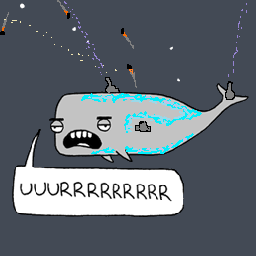
The Kagi Way
We partnered with artist Chaz Hutton on a
graphic that illustrates how Kagi empowers you to search without the
noise, trackers and distractions. Help us share it widely!
We're thrilled to announce that development of Orion Browser for Linux
has officially started! Our team is working hard to bring the same
speed, privacy, and innovation that Mac users love to the Linux
platform.
This is an ambitious project that we expect will take approximately one
year to complete. Our target is to achieve feature parity with the
current macOS version by March 2026.
Want to stay updated on Orion for Linux? Register here to receive
news and early access opportunities throughout the development year.
Kagi Assistant adds Sonnet 3.7 and the preview of multi-step reasoning assistant called Ki
We're happy to unveil the latest updates to our assistant experience.
This release brings a smoother, smarter, and more intuitive interface
designed to make your interactions simpler. Try it out and feel the
difference!
We also added Claude 3.7 Sonnet to our model lineup! It's now powering
our !code assistant and plays a key role in our advanced multi-step
reasoning model, Kii. Currently in early testing, Ki is available
exclusively to our Discord community
members - join now to get early access (Ultimate account users only)!
And today OpenAI released GPT4.5 - we have already benchmarked it. Check
Kagi LLM benchmark.
TikTok video search
Video search just got even sharper—you can now filter specifically for
Tiktok videos. Find exactly what you're looking for, faster.
We are hiring a Flutter developer!
We just opened a position for a skilled Flutter
Developer.
Apply now or send someone our way.
Interested in covering Kagi on your outlet, newsletter or podcast? Hit
us up! Our team is very approachable and we welcome any opportunity to
engage with various communities about our latest features.
Read all about why this matters and the details of implementation in our
announcement blog post!
Privacy Pass support is provided:
Natively for Orion browser users
(macOS/iOS/iPadOS). On iOS, make sure to have version 1.3.17 and above
(expected to roll out globally today) and update your macOS Orion to
version 0.99.131.
Natively through Kagi App for
Android
(make sure to have version 0.29, expected to roll out globally today)
Privacy Pass implementation is fully
open-sourced
for transparency and community collaboration
Kagi Privacy Pass is available for the Professional, Ultimate, Family,
and Team plans.
Limitations:
It's not available for Trial/Starter plans
Privacy Pass mode disables account-specific features, like domain
personalisaton (as we do not know which user is searching)
Privacy Pass mode is supported for Kagi Search in this initial
phase, we will add support other services in the coming weeks. Check
the blog post FAQ
section for more details!
Kagi is redefining privacy in search. Try it now!
Kagi Tor Onion service
Access Kagi securely and anonymously via our new Tor Onion Service.
You can now access Kagi directly through the Tor network using our
dedicated onion address:
See more information about Kagi Tor service in our
documentation.
An updated comprehensive privacy policy
We're also excited to share our updated privacy
policy, with simplified language and
designed to clearly reflect our strong commitment to protecting your
privacy.
Improvements and bug fixes
Search
Quick Peek Breaks after Clicking More Results
#6016@silvenga
Add option to save the mobile advanced settings state
#5826@miicat_47
Analytics for kids accounts do not show name/username
#6189@kingtong
Tag our accounts or use #Kagi when mentioning us in your posts!
Kagi in the News
Orion tops Apple's App Store's
list of superpowered
internet browsers "to seriously level up your web browsing"!
And Android Police published an
article
about Kagi's new fair pricing model: "This ethical search engine will
return your subscription money if you don't use it." The Verge also
covered the
news.
In months where you don't utilize any searches on your plan, we will
automatically apply a full credit to your account for that month. This
credit will be applied to your next billing cycle, effectively covering
your subsequent month's subscription at no additional cost.
We have implemented this for the simple reason of being kind to our
users. We understand some months you may forget to use Kagi or do not
need it, so when you do, you can rest assured that we haven’t charged
you for that.
This change is effective immediately, no forms to fill, no requests to
make.
Tag our accounts or use #Kagi when mentioning us in your posts!
Kagi in the News
Fast Company just published an
article
highlighting how Kagi is redefining search by prioritising users over
ads and clutter. It's a good in-depth read, perfect for sharing with
anyone curious about a better way to search!
(define) scrappy: Having an aggressive spirit; inclined to fight or
strive. (informal)
We've launched a major redesign of the Assistant interface, featuring:
A cleaner, text-editor style layout
Improved message flow and readability
Streamlined controls and interactions
This update is part of our vision to create a distinctive LLM interface.
Stay tuned for more improvements, including sidebar integration and new
thread management features.
In the meantime, please let us know what you think!
Kagi Translate evolves
It's now localized itself into 20 new languages, so it truly speaks your
language.
The settings panel lets you customize translations and add context
effortlessly.
And the history panel keeps track of everything you've translated.
buttons are now grouped for easier navigation.
Plus, long translations are up to 3x faster, and we've relaxed content
filters for more flexibility. It's faster, smarter, and more intuitive.
Don't take our word for it - try Kagi
Translate and see for yourself!
SVG Search
Finding vector graphics is now easier with our dedicated SVG filter -
perfect for discovering icons, logos, and illustrations.
Safari native integration
Unfortunately we can't do this without your help. Share your feedback
directly with Apple to
help make it happen.
With this release, we're excited to introduce changes that allows you to
share all your searches and Assistant threads with everyone.
You can now easily share image, video, news, and podcast searches by
clicking the share icon.
Additionally, any Assistant threads you share will be publicly
accessible to others!
Video search, leveled up
We’ve refined our ranking system to bring you sharper, more relevant
results. We think this sets a new standard — try it and let us know
what you think.
Plus, you can now see detailed channel statistics such as subscriber
count, creation date, and total videos, right in your search results.
Pro tip: to avoid clickbait, you can customise your experience by
selecting a random screenshot as the thumbnail or modifying video titles
in your search settings.
Assistant
We're working on exciting updates to the Assistant experience! The model
picker is now located in the top menu bar, making it easier to select a
model for your next action. Plus, we've added two new models for you to
explore: Deepseek R1 and Deepseek v3, both using a privacy
respecting provider (see our LLM privacy
guide).
Upgrading claude haiku 3 to haiku 3.5 in assisant.
#5374@JJ
Consider adding Deepseek v3 for Assistant
#5798@Nashwan
When using Assistant to generate code, it is outputting encoded
entities
#5169@beetstabasco
Assistant fails to generate a relevant title with longer inputs
#5880@coreyward
Make the 'internet' option in the url for Assistant accept both
true/false and on/off
#5885@CrunchyFritos
Desktop Kagi Assistant PWA: Opens External Links in the PWA Instead of
the Default Browser
#5749@mackid1993
Improvements and bug fixes
"Share this search" for images, videos, news, podcasts, maps, etc...
#4599@leftium
Universal Summarizer: Reliably extract file types to support more
websites
#5799@tauon
So I let the chain wear down too much in the past two years and the rear sprockets appear to be worn out and will need to be replaced. The stock 50T chain ring is also showing signs of wear but appears to still be good for a few years.
I wanted to use this opportunity to see whether I could switch the gearing up a little.
The 13-16 gearing has been surprisingly capable but I need just a little more hill climbing ability; the lowest gear (2.64m) is just barely enough sometimes. I'd like it a tad lower I think.
On the high end, I usually ride in the upper two gears on flat ground. The highest gear (7.98m) feels just a tad too much sometimes though and I then fall back to one lower (6.49m) but that feels a good bit too low. That doesn't bother me a lot but it'd still be nicer to have a gear that's just right.
On a downhill, the highest gear is always sufficient for me; feels pretty much exactly right. I wouldn't mind slightly more metres of development but, honestly, I don't care very much when I'm already going way past 30km/h and I don't ride downhill for very long usually. I'm unsure whether reducing the highest gear slightly would make me pedal uncomfortably quickly down hill though.
Stock and current config:
Hub
64%
100%
157%
Low sprocket
2.64
4.14
6.49
High sprocket
3.25
5.10
7.98
I'm currently thinking about a 44T chain ring with 12-17:
Hub
64%
100%
157%
Low sprocket
2.19
3.43
5.37
High sprocket
3.10
4.86
7.61
or 12-16:
Hub
64%
100%
157%
Low sprocket
2.33
3.64
5.71
High sprocket
3.10
4.86
7.61
The lower gears being lower and closer together sounds very nice.
In the higher gears, my hope is that the slightly lower highest gear would allow me to use it the majority of the time on flat ground because I suspect the second highest gear would feel quite a bit too low as a fall-back.
I could see 12-15 being an option perhaps but that also gets the lowest gear much closer to 13-16 again:
Hub
64%
100%
157%
Low sprocket
2.48
3.89
6.09
High sprocket
3.10
4.86
7.61
But obviously the lowest gear gets very close to the previous config again.
Where I have a hard time is imagining how significant the difference between 2.64m, 2.19m, 2.33m and 2.48m are in an uphill scenario. The jump between the lower gears in 13-16 (3.25m to 2.64m) in practice feels significant but not that large either and we're talking about a much lower absolute drop being gained in the low end by switching gearing. I don't know whether the practical effect of this is linear though and I suspect it might not be.
I'd really appreciate practical experience here. Have you changed gearing on your Brompton? From what to what and how significant were the differences?
So I let the chain wear down too much in the past two years and the rear sprockets appear to be worn out and will need to be replaced. The stock 50T chain ring is also showing signs of wear but appears to still be good for a few years.
I wanted to use this opportunity to see whether I could switch the gearing up a little.
The 13-16 gearing has been surprisingly capable but I need just a little more hill climbing ability; the lowest gear (2.64m) is just barely enough sometimes. I'd like it a tad lower I think.
On the high end, I usually ride in the upper two gears on flat ground. The highest gear (7.98m) feels just a tad too much sometimes though and I then fall back to one lower (6.49m) but that feels a good bit too low. That doesn't bother me a lot but it'd still be nicer to have a gear that's just right.
On a downhill, the highest gear is always sufficient for me; feels pretty much exactly right. I wouldn't mind slightly more metres of development but, honestly, I don't care very much when I'm already going way past 30km/h and I don't ride downhill for very long usually. I'm unsure whether reducing the highest gear slightly would make me pedal uncomfortably quickly down hill though.
Stock and current config:
Hub
64%
100%
157%
Low sprocket
2.64
4.14
6.49
High sprocket
3.25
5.10
7.98
I'm currently thinking about a 44T chain ring with 12-17:
Hub
64%
100%
157%
Low sprocket
2.19
3.43
5.37
High sprocket
3.10
4.86
7.61
or 12-16:
Hub
64%
100%
157%
Low sprocket
2.33
3.64
5.71
High sprocket
3.10
4.86
7.61
The lower gears being lower and closer together sounds very nice.
In the higher gears, my hope is that the slightly lower highest gear would allow me to use it the majority of the time on flat ground because I suspect the second highest gear would feel quite a bit too low as a fall-back.
I could see 12-15 being an option perhaps but that also gets the lowest gear much closer to 13-16 again:
Hub
64%
100%
157%
Low sprocket
2.48
3.89
6.09
High sprocket
3.10
4.86
7.61
But obviously the lowest gear gets very close to the previous config again.
Where I have a hard time is imagining how significant the difference between 2.64m, 2.19m, 2.33m and 2.48m are in an uphill scenario. The jump between the lower gears in 13-16 (3.25m to 2.64m) in practice feels significant but not that large either and we're talking about a much lower absolute drop being gained in the low end by switching gearing. I don't know whether the practical effect of this is linear though and I suspect it might not be.
I'd really appreciate practical experience here. Have you changed gearing on your Brompton? From what to what and how significant were the differences?
You can now use Kagi Translate to translate search results directly
from the search results page. An icon will appear if we detect that the
search result is in a language other than your interface language
(inspired by
#5809@KamilKurde)
Click the icon and we will open Kagi Translate to translate the search
result.
Ever since we launched Kagi Translate last
month we've been getting nothing but praise for the service. It exploded
in use, especially in Asia.
And we truly see the value of high quality, privacy respecting
translation. So we continued building upon it.
We've introduced speech input, making it easier to use Kagi Translate
on the go or when navigating unfamiliar languages
We introduced romanization for non-Latin languages as well as
pronounciation for all supported languages
The new Proofreading feature helps identify spelling and grammar
issues in any text or even web page !
Just prefix any URL with translate.kagi.com/proofread to proofread any
web page. Try it
here
on a random Kagi Small Web page.
New user onboarding experience
We've reintroduced our onboarding experience to help setting up Kagi to
your liking. I guess you already went though onboarding so it won't
matter as much to you, but it will to friends and family you send our
way.
We also added some helpful tips to help maximise key features.
New model and LLM privacy guide
With this release, we've introduced the Deepseek v3 model to the
Assistant. Alongside it, we've published a new privacy
guide to provide
full transparency about the LLM providers used by the Assistant and
their data privacy policies. Check it out!
You can share your Kagi searches with anyone!
Simply click the share icon in the search options bar to share your
search with anyone when you post online or in an email, even for people
without a Kagi account!
Search improvements and bug fixes
The weather widget now includes Kelvin as an additional temperature
unit
Summarizer now uses Kagi Translate for translation
I recently got my Kobo Elipsa 2E and it's better than I expected, especially the simplicity of OS and how well handwriting generally works were a surprise to me.
Given that its handwritten notes features are surprisingly capable, I've been trying to use it to take notes for learning physics but quite soon ran into an issue in trying to use the advanced notebook:
In physics, there's a notation where you can write dx/dt as an x with a dot above it (ẋ), adding more dots the more often you take the derivative w.r.t. time though you typically only need 2 max. The handwriting recognition for formulas does not know this notation however and therefore converts any attempts to stupid stuff instead.
Additionally, I quite frequently write sentences that also contain some "math symbols" such as δ or θ or even just mathematical expressions such as L(x). Formula fields would recognise these just fine but no such luck with regular text fields; it tries to make normal letters or words out of these.
The maths formula mode cannot be used for annotating equations either as it garbles words into symbol structures.
The fall-back would be to just use raw drawing plots but my handwriting is quite poor and I'd rather have text because that really works quite well otherwise. I could write text mode until I need a sentence with a symbol in it but I don't know ahead of time whether I'll need it and by the time I know, it's already too late and I'd need to write the entire sentence again inside a raw canvas.
Are there any solutions or potential workarounds to my problems?
Is it possible to make the formula recognition aware of this notation somehow? I'll likely need further such niche notations in the future too.
Is it perhaps possible to have sections of text (or even formulas) that contain small raw canvases which don't get converted to text? That would also be a nice escape hatch.
Is there an alternative note-taking app one could side-load that works better perhaps? The hardware is surprisingly capable as mentioned; these issues are purely in software.
I recently got my Kobo Elipsa 2E and it's better than I expected, especially the simplicity of OS and how well handwriting generally works were a surprise to me.
Given that its handwritten notes features are surprisingly capable, I've been trying to use it to take notes for learning physics but quite soon ran into an issue in trying to use the advanced notebook:
In physics, there's a notation where you can write dx/dt as an x with a dot above it (ẋ), adding more dots the more often you take the derivative w.r.t. time though you typically only need 2 max. The handwriting recognition for formulas does not know this notation however and therefore converts any attempts to stupid stuff instead.
Additionally, I quite frequently write sentences that also contain some "math symbols" such as δ or θ or even just mathematical expressions such as L(x). Formula fields would recognise these just fine but no such luck with regular text fields; it tries to make normal letters or words out of these.
The maths formula mode cannot be used for annotating equations either as it garbles words into symbol structures.
The fall-back would be to just use raw drawing plots but my handwriting is quite poor and I'd rather have text because that really works quite well otherwise. I could write text mode until I need a sentence with a symbol in it but I don't know ahead of time whether I'll need it and by the time I know, it's already too late and I'd need to write the entire sentence again inside a raw canvas.
Are there any solutions or potential workarounds to my problems?
Is it possible to make the formula recognition aware of this notation somehow? I'll likely need further such niche notations in the future too.
Is it perhaps possible to have sections of text (or even formulas) that contain small raw canvases which don't get converted to text? That would also be a nice escape hatch.
Is there an alternative note-taking app one could side-load that works better perhaps? The hardware is surprisingly capable as mentioned; these issues are purely in software.

 https://discourse.nixos.org/t/nixos-reproducible-builds-minimal-installation-iso-successfully-independently-rebuilt/34756/13Open linkView original on lemmy.ml