

Framework Laptop 16 Deep Dive - Connectors
This is likely our last Framework Laptop 16 Deep Dive before we start shipping, and those of you who ordered one can dive deep on your own. We began mass production of Mainboards last week, which we’ll hold onto as we resolve the last few remaining open items to begin full system manufacturing.
You may be thinking, do we really need a deep dive on connectors? The answer is a resounding “Yes!”, as connectors are surprisingly among the most complex and critical parts of building a product that is slim, durable, high performance, and easy to repair. Connectors are the electrical and mechanical interfaces between modules in the system. They are what actually makes the product modular! Each connector needs to be easy to engage, hard to accidentally disengage during vibration or drop, robust across repeated reconnections, thin enough to fit within a tiny space, electrically sound from a signal integrity and power perspective, readily manufacturable, and cheap. Our most complicated connectors are made up of dozens of tiny formed metal parts in plastic or metal shells. Given the complexity, our preference is always to find well-proven off-the-shelf connectors. However, occasionally we run into unique interconnect scenarios that don’t match anything out there. In these instances, we’re forced to customize our own solutions. With Framework Laptop 16, we developed two of these to enable our new module ecosystems. Input Module Connector
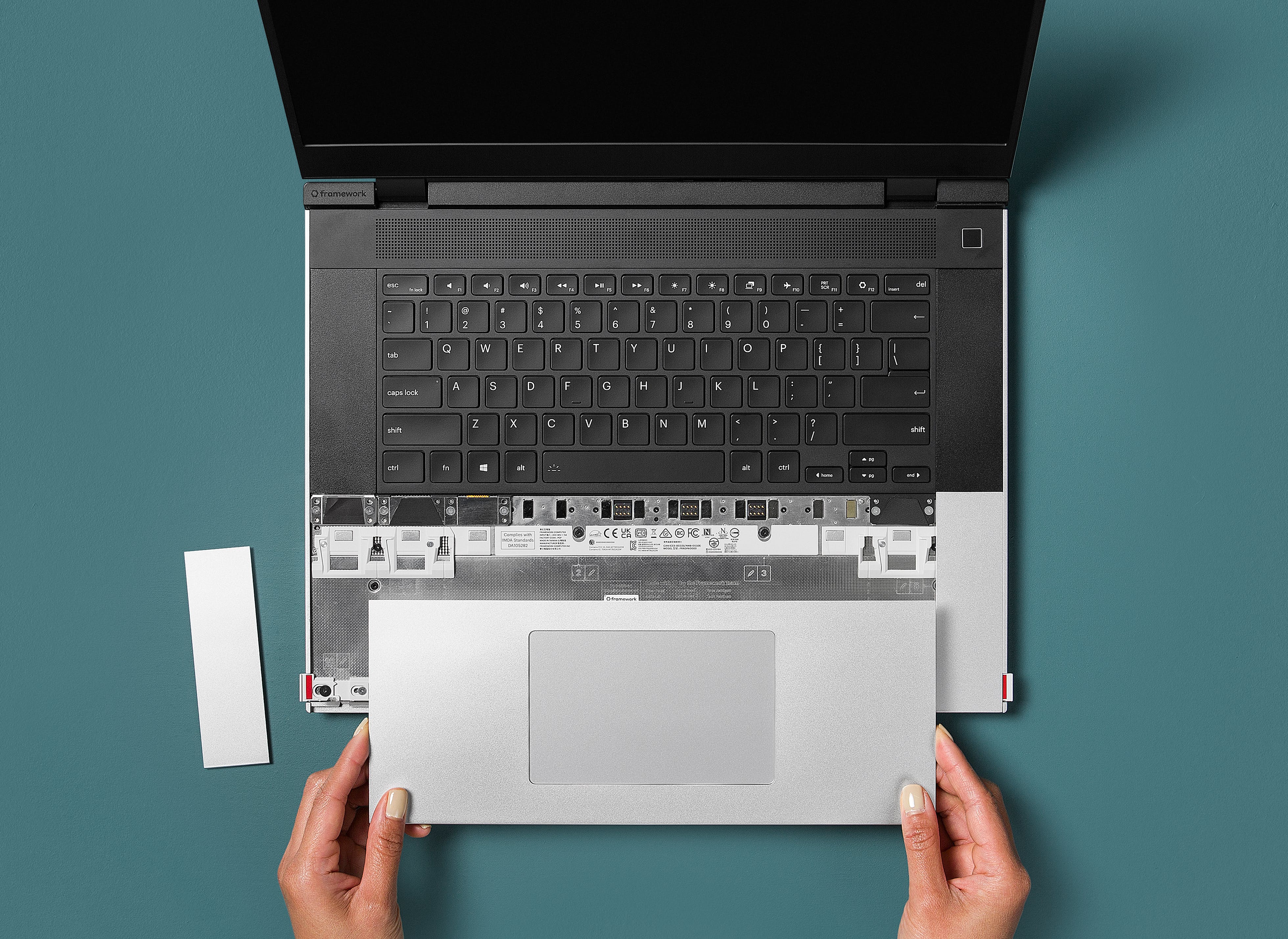
The first is the connector that interfaces to Input Modules and the Touchpad Module. This is what enables the hot-swappable modules that allow full input deck customization on Framework Laptop 16. From a signal perspective, this one is relatively straightforward. There are only eight pins, supporting up to one amp at 5V and with no signals faster than USB 2.0. However, from a mechanical standpoint, this was exceptionally challenging. The pins are exposed when Input Modules are removed, meaning they have to be extremely robust to handling. In addition, because of how our Touchpad Module engages, the connectors have to be able to handle not just compression force but also many cycles of shear force. All of this has to work within very limited thickness too. We initially started with a spring-based connector (on the left) during our EVT build but found it to be easy to accidentally bend and break the pins. We then quickly pivoted to a pogo pin solution (on the right), working with CFE, one of the world's largest pogo manufacturers to build a custom solution. Despite being just 0.8mm in diameter, the brass pins are incredibly durable. They are rated to 10,000 cycles and are difficult to damage even if you try to.
The second connector is vastly more electrically complex. This is the interposer that connects the Mainboard to Expansion Bay Modules. This is what enables upgradeability of high-performance modules like discrete GPUs with Graphics Modules in Framework Laptop 16. This has two 74-pin interfaces supporting 8-lane PCIe 4.0 (and potentially higher), DisplayPort, and >10 amps at 20V. These are extremely difficult specifications to meet, and are made even more complex through our requirement to make it an easy connector to handle and cycle repeatedly. We started with the off-the-shelf FXBeam connector from Neoconix that was used in attempts from other brands at making a modular graphics system in a notebook. We quickly found that these connectors (on the left in the image) could only reliably be installed once. On removing, handling, and reinstalling, it was easy to bend or break off the small pins. We then worked closely with Neoconix to build our own customized version of FXBeam (on the right in the image) that is compatible with the same Mainboard interface, but is substantially more robust. The structure hooks the pins into place and prevents them from being malformed by force from any direction. With that, the interposer is safe for handling and repeated cycling, letting you swap between Expansion Bay Modules with ease.
 https://frame.work/au/en/blog/framework-laptop-16-deep-dive---connectorsOpen linkView original on lemmy.world