Nginx Proxy Manager instead of Synology WebStation
cross-posted from: https://lemmy.world/post/32444584
I have installed Nginx Proxy Manager on my Synology NAS using the Container Manager, but I haven’t set up SSL encryption. I already have a Let's Encrypt certificate via Control Panel > Security > Certificate. However, I want to use Nginx Proxy Manager as a reverse proxy instead of Web Station to forward my Docker instances from http://dockerinstance:8000/ to http://dockerinstance:8001/. Is there a guide for beginners?
thanks a lot!
SyntaxError: JSON.parse: unexpected character at line 1 column 1 of the JSON data
cross-posted from: https://lemmy.world/post/31763986
Pls see crosspost as it is updated
Need help with searxng docker compose - Lemmy.World
I hosted searxng on portainer and receive PermissionError and no python application found error
Log:
PermissionError: [Errno 13] Permission denied: '/etc/searxng/settings.yml'
unable to load app 0 (mountpoint='') (callable not found or import error)
*** no app loaded. going in full dynamic mode ***
--- no python application found, check your startup logs for errors ---
[pid: 19|app: -1|req: -1/1] 127.0.0.1 () {28 vars in 330 bytes} [Sat May 17 05:06:00 2025] HEAD /healthz => generated 21 bytes in 0 msecs (HTTP/1.1 500) 3 headers in 102 bytes (0 switches on core 0)
I tried removing cap_drop (as instructed on https://github.com/searxng/searxng-docker/issues/115) but no luck
version: "3.7"
services:
# caddy:
# container_name: caddy
# image: docker.io/library/caddy:2-alpine
# network_mode: host
# restart: unless-stopped
# volumes:
# - ./Caddyfile:/etc/caddy/Caddyfile:ro
# - caddy-data:/data:rw
# - caddy-config:/config:rw
# environment:
# # - SEARXNG_HOSTNAME=${SEARXNG_HOSTNAME:-http://localhost/}
# - SEARXNG_TLS=${LETSENCRYPT_EMAIL:-internal}
# cap_drop:
# - ALL
# cap_add:
# - NET_BIND_SERVICE
# logging:
# driver: "json-file"
# options:
# max-size: "1m"
# max-file: "1"
redis:
container_name: redis
image: docker.io/valkey/valkey:8-alpine
command: valkey-server --save 30 1 --loglevel warning
restart: unless-stopped
networks:
- searxng
volumes:
- valkey-data2:/data
# cap_drop:
# - ALL
cap_add:
- SETGID
- SETUID
- DAC_OVERRIDE
logging:
driver: "json-file"
options:
max-size: "1m"
max-file: "1"
searxng:
container_name: searxng
image: docker.io/searxng/searxng:latest
restart: unless-stopped
networks:
- searxng
ports:
# - "127.0.0.1:8080:8080"
- "20054:8080"
volumes:
- ./searxng:/etc/searxng:rw
environment:
# - SEARXNG_BASE_URL=https://${SEARXNG_HOSTNAME:-localhost}/
- SEARXNG_BASE_URL="http://mydomain:20054/"
- UWSGI_WORKERS=${SEARXNG_UWSGI_WORKERS:-4}
- UWSGI_THREADS=${SEARXNG_UWSGI_THREADS:-4}
# cap_drop:
# - ALL
cap_add:
- CHOWN
- SETGID
- SETUID
logging:
driver: "json-file"
options:
max-size: "1m"
max-file: "1"
networks:
searxng:
volumes:
# caddy-data:
# caddy-config:
valkey-data2:
thx a lot!
Al final he decidido que siempre que pueda instalaré las virtualizaciones de proxmox en @alpinelinux
En la medida de lo posible uso @Podman_io pero no siempre es posible. Esta guía para @docker sin privilegios de root. https://virtualzone.de/posts/alpine-docker-rootless/ #selfthosting #docker #podman #alpinelinux
Latest Watchtower fork?
Hi - I'm rebuilding my homelab and want to give docker compose another try. It looks like Watchtower is years out of date now. I see two forks that look more promising per https://techgaun.github.io/active-forks/index.html#https://github.com/containrrr/watchtower
These two: https://github.com/beatkind/watchtower https://github.com/nicholas-fedor/watchtower
The former seems to have more activity. What are you all using?
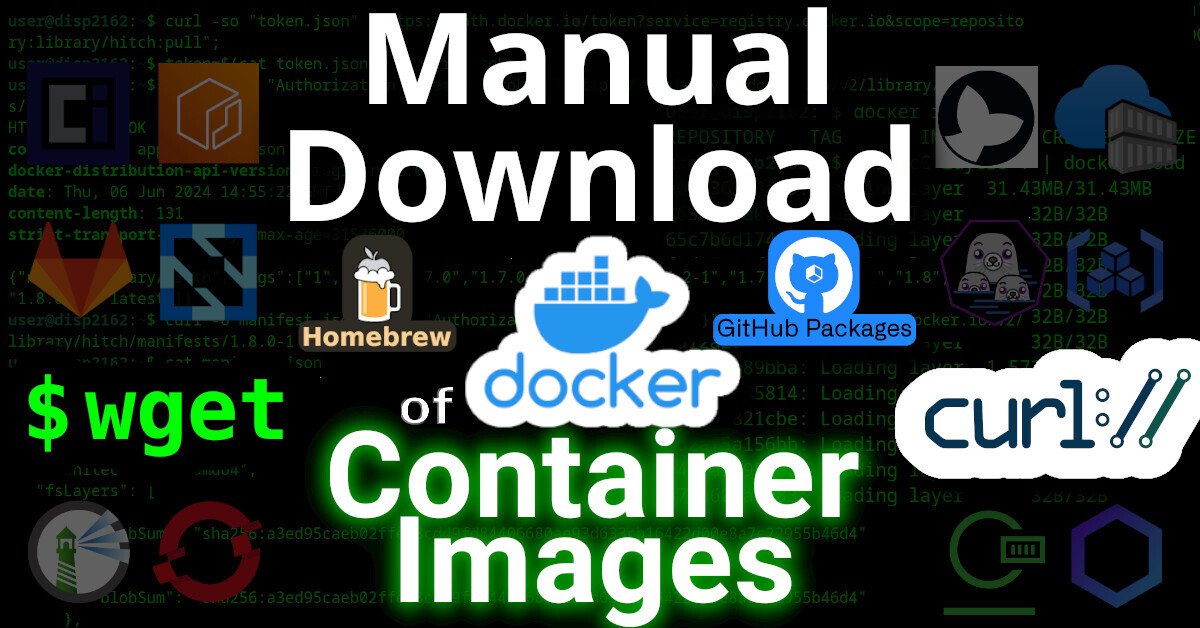
https://github.com/beatkind/watchtowerOpen linkView original on lemmy.worldHow to wget/curl docker images
This article will describe how to download an image from a (docker) container registry.
| Manual Download of Container Images with wget and curl |
Intro
Remember the good `'ol days when you could just download software by visiting a website and click "download"?
Even apt and yum repositories were just simple HTTP servers that you could just curl (or wget) from. Using the package manager was, of course, more secure and convenient -- but you could always just download packages manually, if you wanted.
But have you ever tried to curl an image from a container registry, such as docker? Well friends, I have tried. And I have the scars to prove it.
It was a remarkably complex process that took me weeks to figure-out. Lucky you, this article will break it down.
Examples
Specifically, we'll look at how to download files from two OCI registries.
Terms
First, here's some terminology used by OCI
- OCI - Open Container Initiative
- blob - A "blob" in the OCI spec just means a file
- manifest - A "manifest" in the OCI spec means a list of files
Prerequisites
This guide was written in 2024, and it uses the following software and versions:
- debian 12 (bookworm)
- curl 7.88.1
- OCI Distribution Spec v1.1.0 (which, unintuitively, uses the '/v2/' endpoint)
Of course, you'll need 'curl' installed. And, to parse json, 'jq' too.
sudo apt-get install curl jq
What is OCI?
OCI stands for Open Container Initiative.
OCI was originally formed in June 2015 for Docker and CoreOS. Today it's a wider, general-purpose (and annoyingly complex) way that many projects host files (that are extremely non-trivial to download).
One does not simply download a file from an OCI-complianet container registry. You must:
- Generate an authentication token for the API
- Make an API call to the registry, requesting to download a JSON "Manifest"
- Parse the JSON Manifest to figure out the hash of the file that you want
- Determine the download URL from the hash
- Download the file (which might actually be many distinct file "layers")
| One does not simply download from a container registry |
In order to figure out how to make an API call to the registry, you must first read (and understand) the OCI specs here.
OCI APIs
OCI maintains three distinct specifications:
- image spec
- runtime spec
- distribution spec
OCI "Distribution Spec" API
To figure out how to download a file from a container registry, we're interested in the "distribution spec". At the time of writing, the latest "distribution spec" can be downloaded here:
- https://github.com/opencontainers/distribution-spec/releases/tag/v1.1.0
- https://github.com/opencontainers/distribution-spec/releases/download/v1.1.0/oci-distribution-spec-v1.1.0.pdf
The above PDF file defines a set of API endpoints that we can use to query, parse, and then figure out how to download a file from a container registry. The table from the above PDF is copied below:
| ID | Method | API Endpoint | Success | Failure |
|---|---|---|---|---|
| end-1 | GET | /v2/ | 200 | 404/401 |
| end-2 | GET / HEAD | /v2/<name>/blobs/<digest> | 200 | 404 |
| end-3 | GET / HEAD | /v2/<name>/manifests/<reference> | 200 | 404 |
| end-4a | POST | /v2/<name>/blobs/uploads/ | 202 | 404 |
| end-4b | POST | /v2/<name>/blobs/uploads/?digest=<digest> | 201/202 | 404/400 |
| end-5 | PATCH | /v2/<name>/blobs/uploads/<reference> | 202 | 404/416 |
| end-6 | PUT | /v2/<name>/blobs/uploads/<reference>?digest=<digest> | 201 | 404/400 |
| end-7 | PUT | /v2/<name>/manifests/<reference> | 201 | 404 |
| end-8a | GET | /v2/<name>/tags/list | 200 | 404 |
| end-8b | GET | /v2/<name>/tags/list?n=<integer>&last=<integer> | 200 | 404 |
| end-9 | DELETE | /v2/<name>/manifests/<reference> | 202 | 404/400/405 |
| end-10 | DELETE | /v2/<name>/blobs/<digest> | 202 | 404/405 |
| end-11 | POST | /v2/<name>/blobs/uploads/?mount=<digest>&from=<other_name> | 201 | 404 |
| end-12a | GET | /v2/<name>/referrers/<digest> | 200 | 404/400 |
| end-12b | GET | /v2/<name>/referrers/<digest>?artifactType=<artifactType> | 200 | 404/400 |
| end-13 | GET | /v2/<name>/blobs/uploads/<reference> | 204 | 404 |
In OCI, files are (cryptically) called "blobs". In order to figure out the file that we want to download, we must first reference the list of files (called a "manifest").
The above table shows us how we can download a list of files (manifest) and then download the actual file (blob).
Examples
Let's look at how to download files from a couple different OCI registries:
Docker Hub
To see the full example of downloading images from docker hub, click here
GitHub Packages
To see the full example of downloading files from GitHub Packages, click here.
Why?
I wrote this article because many, many folks have inquired about how to manually download files from OCI registries on the Internet, but their simple queries are usually returned with a barrage of useless counter-questions: why the heck would you want to do that!?!
The answer is varied.
Some people need to get files onto a restricted environment. Either their org doesn't grant them permission to install software on the machine, or the system has firewall-restricted internet access -- or doesn't have internet access at all.
3TOFU
Personally, the reason that I wanted to be able to download files from an OCI registry was for 3TOFU.
| Verifying Unsigned Releases with 3TOFU |
Unfortunaetly, most apps using OCI registries are extremely insecure. Docker, for example, will happily download malicious images. By default, it doesn't do any authenticity verifications on the payloads it downloaded. Even if you manually enable DCT, there's loads of pending issues with it.
Likewise, the macOS package manager brew has this same problem: it will happily download and install malicious code, because it doesn't use cryptography to verify the authenticity of anything that it downloads. This introduces watering hole vulnerabilities when developers use brew to install dependencies in their CI pipelines.
My solution to this? 3TOFU. And that requires me to be able to download the file (for verification) on three distinct linux VMs using curl or wget.
⚠ NOTE: 3TOFU is an approach to harm reduction.
It is not wise to download and run binaries or code whose authenticity you cannot verify using a cryptographic signature from a key stored offline. However, sometimes we cannot avoid it. If you're going to proceed with running untrusted code, then following a 3TOFU procedure may reduce your risk, but it's better to avoid running unauthenticated code if at all possible.
Registry (ab)use
Container registries were created in 2013 to provide a clever & complex solution to a problem: how to package and serve multiple versions of simplified sources to various consumers spanning multiple operating systems and architectures -- while also packaging them into small, discrete "layers".
However, if your project is just serving simple files, then the only thing gained by uploading them to a complex system like a container registry is headaches. Why do developers do this?
In the case of brew, their free hosing provider (JFrog's Bintray) shutdown in 2021. Brew was already hosting their code on GitHub, so I guess someone looked at "GitHub Packages" and figured it was a good (read: free) replacement.
Many developers using Container Registries don't need the complexity, but -- well -- they're just using it as a free place for their FOSS project to store some files, man.
https://tech.michaelaltfield.net/2024/09/03/container-download-curl-wget/Open linkView original on monero.town[question] Docker .yml file to start mariadb-php-apache
Hello. I bought a HP t630 and wanted to learn some ubuntuServer+Docker. My file structure looks like this:
/home/bg/docker_stacks (main folder)
/home/bg/docker_stacks/prod_php-maria-apache (this project folder)
/home/bg/docker_stacks/prod_php-maria-apache/docker-compose.yml
/home/bg/docker_stacks/prod_php-maria-apache/apache/
/home/bg/docker_stacks/prod_php-maria-apache/html/
/home/bg/docker_stacks/prod_php-maria-apache/html/test.php
/home/bg/docker_stacks/prod_php-maria-apache/php/
/home/bg/docker_stacks/prod_php-maria-apache/php/php.ini empty
inside test.php there's
inside docker-compose.yml there's:
GNU nano 6.2 docker-compose.yml
web:
image: php:8.2-cli
ports:
- '80:80'
volumes:
- /home/bg/docker_stacks/prod_maria-php-apache/apache:/etc/apache2/sites-enabled
- /home/bg/docker_stacks/prod_maria-php-apache/html:/var/www/html
- /home/bg/docker_stacks/prod_maria-php-apache/php/php.ini:/usr/local/etc/php/php.ini
depends_on:
- mariadb
extra_hosts:
- 'ax710.test:127.0.0.1'
# - 'some-other-host.test:127.0.0.1'
networks:
- dev-env
phpmyadmin:
image: phpmyadmin:latest
ports:
- 8080:80
environment:
- PMA_ARBITRARY=1
- PMA_HOST=mariadb
depends_on:
- mariadb
volumes:
- /home/bg/docker_stacks/prod_maria-php-apache/php/php.ini:/usr/local/etc/php/php.ini
networks:
- dev-env
mariadb:
image: mariadb:latest
restart: always
environment:
MYSQL_ROOT_PASSWORD: '123'
MYSQL_USER: 'bg'
MYSQL_PASSWORD: '123'
MYSQL_DATABASE: 'db'
volumes:
- mysqldata:/var/lib/mysql
ports:
- 3306:3306
networks:
- dev-env
volumes:
mysqldata: {}
networks:
dev-env: {}
When on my laptop I open:
192.168.1.208:9090 - cockpit works fine
192.168.1.208:8080 - phpMyAdmin works fine
heidiSQL - at 192.168.1.208 opens the database without problems
192.168.1.208:80/test.php or 192.168.1.208/test.php does not work
Any ideas how can I make test.php open in my browser? Any other suggestions are appreciated as I'am newbie in Docker.
Mac M1 vs Intel running amd64 container
Has anyone benchmarked how much qemu bogs down an AMD64 container running on a Mac M1 vs in its natural architecture?
Just starting to ensure that containers will run on a Mac and there are so many weird things. I’m wondering how much effort it’s worth to try to build a whole separate version of each container in ARM vs having a single AMD64 for each.
Connection to server at "127.0.0.1", port 5432 failed: Connection refused
FastAPI container fails to connect to PostgreSQL.
However, the PostgreSQL container is running well and accessible.
I don't know why this problem is happening.
Here is gist link of Dockerfile, docker-compose.yaml and log when docker-compose is run.
https://gist.github.com/sunwoo1524/9f75b4d3fd295c9829705e23a3b8094d
Changing permissions for /var/lib/docker
Is it a bad idea to recursively change the permissions for the /var/lib/docker directory? That directory is owned by root:root and the permissions are rwx--x---.
I'm hoping to be able to access my named volumes without using sudo so that I can easily back them up.
How to lower priority of container
Hi everyone!
I run a few low-resource-usage containers on a home server that also has things that run directly on the metal. I'm starting to run a simple Docker container that just lets me run the Whisper speech-to-text engine. That container basically uses all of my CPU power for several hours, which is fine, but I want to make sure it's not starving other processes of CPU time.
In a non-Docker setup, I'd just nice the program, and that'd be it, but that doesn't seem to work in this context. I've found this Stack Overflow post that recommends using the --cpu-shares flag with docker run, but I haven't been able to find out if that allows you to deprioritize the container relative to everything else using the CPU (such as non-containerized tasks) or just relative to other containers.
Any help would be appreciated!
Image size: ~13KiB. Who is this handsome fella? USER: nobody.
A bit of a "flex", but yep. It's happening. >:^)
Image size: ~569KiB. CLI 3D engine. USER: nobody.
Controls
Move around with w a s d, up and down with q e. Click and drag the mouse to turn the camera, or use < > z x.
Portainer Business Free License Dropping from 5 to 3 Nodes
Just got an email I can’t link to. But it’s showing on their FAQ now. For now, existing licenses get to keep their 5 nodes.
Multipurpose downloader. USER: Nobody. (Gopeed)
Create a directory and assign ownership to nobody -- mkdir /dir/ && chown nobody /dir/
then, run with
docker run -it --rm -v /dir:/a defnotgustavom/gopeed gopeed -D /a/ https://link.goes/here
--
Gopeed (full name Go Speed), a high-speed downloader developed by Golang + Flutter, supports (HTTP, BitTorrent, Magnet) protocol, and supports all platforms.