

Flameshot: Powerful yet simple to use screenshot software
Flameshot is a free and open-source, cross-platform tool to take screenshots with many built-in features to save you time.
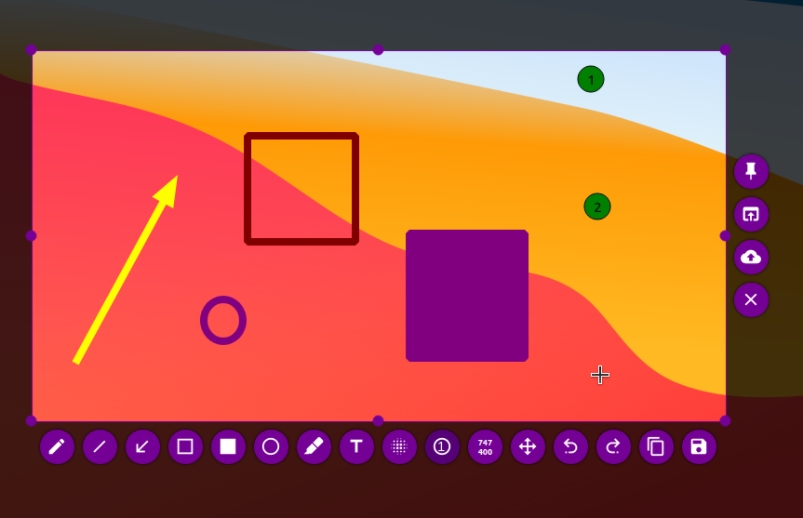 https://flameshot.org/Open linkView original on infosec.pub
236
Comments26
Love it on X, needs some work on wayland yet.
yup, i use kde's screenshot tool on plasma but still miss flameshot
I have mine almost mirroring windows snipping tool. So I’m pretty content. What makes flame shot better?
Flameshot is a really nice screenshot tool, but the big drawback is, that it only upload to Imgur, one of the worst Data hogs. The best and most complete is ShareX, there you can set the destinations to your like, but it has also a big drawback, it's Windows only (depends on NETframework, same as Greenshot)
➡️
You can use Flameshot, but recomment to store the screenshots only locally and upload to share/host later to, eg vgy.me, or some self hosted one, like FileCoffee (valid for all type of files, image, video, multimedia, documents, presentations, etc.)
Flameshot can run a script once it saves a screenshot, so it can effectively be uploaded anywhere. Like zipline for example.
I still prefer ksnip over flameshot though.
Yes, but anyway, everybody wish ShareX in Linux, but nobody dares to fork ShareX for Linux. Until now there sadly isn't any equivalent tool for Linux
Indeed. I went on a many hour hunt for alternatives, even trying some wine methods of getting sharex itself working. Ksnip was the next best option, and gifine for gifs/mp4
Yes, in Linux you need 3-4 different apps to do the same as you can do with ShareX
What site is that tracker thing?
It should not be missing from the Bookmarks:
Also usefull
There are also some more I use
How's it compare to greenshot?
Basically same feature set with better ui
I found that Flameshot does not automatically select an annotation tool after snipping - which turned me off it.
Unless there is a setting I missed that enabled that. I went with Ksnip as a result.
ShareX is my favourite, but that UI doesn't scale.
Ksnip is basically a drop-in replacement for greenshot for Linux.
It'd say just as good. I prefer the text based menu of greenshot. The options in this are all icons, so I end up hovering over them all the time to confirm what they are. Works just as well, otherwise.
I just wish it had a window capture mode.
Got this installed on all my work machines - if you're wanting to stick a screenshot on Jira or Slack with a couple of arrows, wavy lines, or a bit blurred out then it's dead quick and has just the functionality that you need. Yes, it's simple and lacks a lot of 'power tools'. Sometimes that's just what you need, tho.
Hands down the best screen shot app in Linux, in my opinion.
And Windows! It's been added to my company on all machines out of the blue and set as default for taking screenshots (win10/11).
If you’re running Windows I would suggest looking into ShareX. It’s a million times better imo. Support for custom uploaders, video and gif recording, etc. It’s also free and open source.
I don't need video and gif recording. And most definitely not uploading. Thanks for the suggestion, though. I'll have a look at it.
doesn't it require xorg? or can i use it on wayland now?
Works with Wayland but bugs if you have scaling on something different than 100%
It also breaks with more than one monitor on Wayland, might also be related to the scaling thing though.
Hmm it works here with different multi monitor setups. But scaling breaks it by changing the scaling for the screenshot so that you don't see the whole screen anymore.
I switch between this and Shutter on a regular basis depending on what I feel like using that day.